
Simplify Your Life with App Notification Control: A Comprehensive How-To Guide
well-being. App notifications, once a convenience, have become a significant source of distraction for many. This guide offers a practical approach to regaining control over your digital environment, leading to improved focus, productivity, and mental well-being. By understanding how notifications affect your daily life and implementing effective management strategies, you can transform your smartphone from a constant disruptor into a more intentional tool.
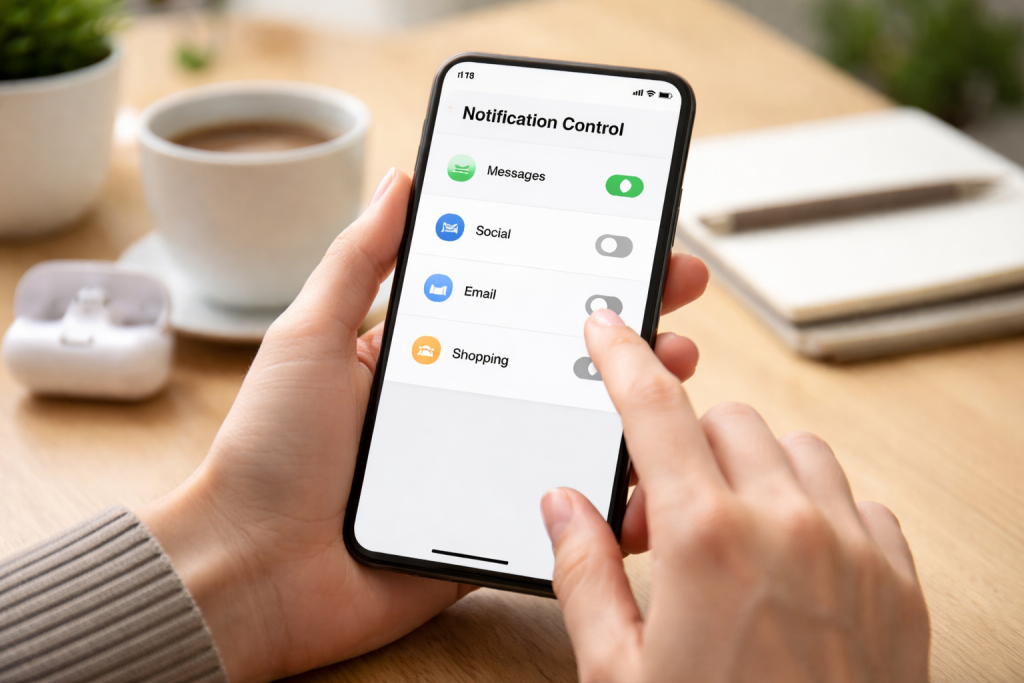
Notifications are designed to alert you to new information, updates, or messages. However, their sheer volume and constant intrusion can fragment attention and create a sense of urgency that doesn’t always reflect genuine importance. This persistent demand on your attention can lead to a shallow engagement with tasks and a difficulty in concentrating deeply on what matters.
Contents
- 0.1 How Notifications Hijack Your Attention
- 0.2 The Psychological Impact of Constant Alerts
- 0.3 Notifications and Your Productivity
- 0.4 Identifying Your Notification Needs
- 0.5 Navigating Your Device’s Notification Settings
- 0.6 You can utilize Do Not Disturb and Focus Modes.
- 0.7 Prioritizing Essential Alerts
- 0.8 Disabling Non-Essential App Notifications
- 0.9 Grouping and Scheduling Notifications
- 0.10 Creating Notification-Free Work Blocks
- 0.11 Using Notifications as Tools, Not Interruptions
- 0.12 Minimizing Context Switching
- 0.13 Reducing Notification-Induced Stress and Anxiety
- 0.14 Fostering Mindfulness and Presence
- 0.15 Improving Sleep Quality
- 0.16 Notifications Not Appearing at All
- 0.17 Notifications Still Interrupting During Focus Modes
- 0.18 Difficulty Finding Specific App Settings
- 0.19 Regular Review and Adjustment
- 0.20 Being Mindful of New App Installations
- 0.21 Embracing Digital Detox Periods
- 1 FAQs
- 1.1 1. What are app notifications, and how do they impact daily life?
- 1.2 2. How can I set up app notification control on my device?
- 1.3 3. What are the benefits of streamlining app notifications for mental well-being and productivity?
- 1.4 4. What are some common issues with app notification control, and how can they be troubleshooted?
- 1.5 5. What are some tips for maintaining a balanced approach to app notifications in my daily routine?
How Notifications Hijack Your Attention
Each notification acts as a tiny interruption, a digital tugboat pulling your mind away from its current course. Even a fleeting glance to ignore an insignificant alert can disrupt your flow of thought. This constant switching between the present task and the incoming notification requires mental energy to re-establish focus. Over time, this can lead to mental fatigue and a reduced capacity for sustained concentration. Consider it akin to a writer trying to compose a chapter while someone taps them on the shoulder every few minutes. The flow is broken, and the creative process suffers.
The Psychological Impact of Constant Alerts
The psychological impact of constant notifications is considerable. The anticipation of a notification can create a low-level anxiety, a subtle buzz of uncertainty about what might be important. This can lead to a compulsion to check your device frequently, a behavior often referred to as “phantom vibration syndrome,” where you feel your phone vibrating even when it isn’t. This pervasive need to be “connected” can foster a fear of missing out (FOMO), contributing to stress and a sense of being overwhelmed. The dopamine reward loop associated with receiving alerts can also contribute to addictive checking behaviors, further diminishing your ability to disconnect and be present.
Notifications and Your Productivity
Productivity is a direct casualty of unchecked notifications. Studies have shown that it can take upwards of 20 minutes to regain full concentration after an interruption. When these interruptions are frequent throughout the day, the cumulative effect on productivity is substantial. Tasks that require deep thinking, problem-solving, or creative output are particularly vulnerable. Instead of making progress, your day can become a series of reactive responses to incoming alerts, hindering any meaningful advancement on your goals.
entirely, but taking control of your app notifications is not about eliminating them entirely but rather about establishing a system that serves your needs and priorities. This involves a systematic review of your apps and a deliberate configuration of their notification settings.
Identifying Your Notification Needs
The first step is to categorize your apps. Which ones genuinely require your immediate attention? These might include communication apps for urgent calls or messages from key contacts, calendar alerts for appointments, or critical security notifications. Then, consider apps that are useful but do not demand instant alerts. These could be news applications, social media platforms, or productivity tools where a periodic check is sufficient. Finally, identify apps that can have their notifications entirely disabled without detriment to your daily life.
Navigate: Both Android and iOS operating systems provide robust tools for managing app notifications. On Android, you can access these settings through the main “Settings” menu, then navigating to “Notifications” and then “App notifications.” Here, you can see a list of all apps and toggle notifications on or off for each. You can also tap into individual app settings to refine notification types, such as disabling sound or vibration while still allowing banners to appear.
On iOS, the path is similar: “Settings” > “Notifications.” You can then select individual apps to customize their alert styles. This includes choosing whether to show notifications on the Lock Screen, in Notification Center, or as banners. You can also disable sounds and badges for specific apps, providing granular control over how and when you are alerted.
You can utilize Do Not Disturb and Focus Modes.
period. While most modern smartphones offer “Do Not Disturb” (DND) or “Focus” modes. These features are powerful allies in your notification management strategy. DND modes allow you to silence all incoming alerts for a specified period while often allowing exceptions for important contacts or repeated calls. Focus modes, found on iOS, go a step further by allowing you to create custom profiles for different activities, such as “Work,” “Personal,” or “Sleep.” Each profile can be configured to allow notifications only from specific apps and contacts, effectively creating personalized digital environments. For example, during a “Work” focus, only notifications from your work email and team messaging apps would be allowed to break through.
Once you have a basic understanding of your device’s capabilities, the next step is to tailor notification settings to your personal lifestyle and daily routines. This is where you move from a generic approach to a bespoke system.
Prioritizing Essential Alerts
—Only think about what truly necessitates an immediate alert. For instance, is it crucial to be notified the moment a new email arrives in your personal inbox, or would a digest delivered a few times a day suffice? For work-related communication, critical alerts might be necessary, but for social media, perhaps only mentions or direct messages require immediate attention. This prioritization exercise is like curating a guest list for a party—only the most important attendees get a direct invitation.
Disabling Non-Essential App Notifications
Many apps, by default, send notifications that are more promotional than informational. This includes updates about sales, new content suggestions, or reminders for features you rarely use. For these apps, the most effective strategy is often to disable notifications entirely. These steps can be done within the app’s individual settings or through your device’s main notification menu. Regularly reviewing your installed apps and their notification permissions can help you identify and eliminate these persistent digital clutter creators.
Grouping and Scheduling Notifications
Some operating systems allow for the grouping of notifications by app or by time. This can prevent your notification shade from becoming an overwhelming cascade of individual alerts. Instead, you might receive a single summary from an app at scheduled intervals. Consider setting up your social media apps to deliver a summary notification once in the morning and once in the evening, for example, rather than receiving individual alerts throughout the day. This consolidates the information and reduces the frequency of interruptions.
By strategically managing your app notifications, you can create a digital environment that actively supports, rather than hinders, your productivity and focus. This is about reclaiming your attention and dedicating it to tasks that require concentration.
Creating Notification-Free Work Blocks
Dedicated blocks of time for focused work are essential for deep engagement. During these periods, it is crucial to minimize distractions. You can achieve these activities by activating Do Not Disturb or a specific Work Focus mode. Resisting the urge to check your phone during these times is key. Think of these blocks as quiet periods in a library—a space designed for concentrated study, not for casual conversation. By setting clear expectations for yourself and your devices, you can foster a more productive workflow.
Using Notifications as Tools, Not Interruptions
Notifications can still be valuable when used intentionally. For example, you can set up calendar reminders that appear well in advance of an appointment, giving you time to prepare without being constantly interrupted. Similarly, certain task management apps can be configured to send gentle nudges for upcoming deadlines. The key is to treat notifications as prompts that serve a specific purpose, rather than as demands that must be instantly addressed. This shift in perspective transforms them from disruptive forces into helpful assistants.
Minimizing Context Switching
Constant context switching, jumping between different tasks and applications, significantly degrades cognitive performance. Each notification often forces such a switch. By reducing the number of irrelevant notifications, you minimize these forced transitions. This allows your brain to stay on task for longer periods, leading to a deeper understanding and more efficient completion of work. It’s like staying on a single highway to reach your destination, rather than constantly taking detours down small, winding roads.
The impact of notification overload extends beyond productivity to encompass your mental and emotional state. Streamlining your notifications can lead to a calmer, more present state of mind.
Reducing Notification-Induced Stress and Anxiety
The constant barrage of notifications can contribute to heightened stress and anxiety. The feeling of being “always on” and the pressure to respond quickly can be mentally draining. By taking control of your notifications, you can significantly reduce this pressure. Regularly weeding a garden enables the desired plants to flourish. Similarly, a decluttered notification feed allows your mind to focus on more calming and constructive thoughts without the constant digital noise.
Fostering Mindfulness and Presence
When your phone is constantly buzzing or dinging, it pulls your attention away from the present moment. This hinders your ability to engage fully in conversations, enjoy your surroundings, or simply be present in your thoughts. By limiting unnecessary notifications, you create more space for mindfulness. You can choose when to use your device instead of being drawn in by its alerts. This allows for richer experiences and a greater appreciation of the world around you.
Improving Sleep Quality
Notifications that arrive late at night or that cause you to check your phone before bed can disrupt sleep patterns. The blue light emitted from screens can interfere with melatonin production, and the mental stimulation of engaging with notifications can make it harder to fall asleep. By disabling all but the most critical nocturnal alerts, or by using dedicated sleep modes, you can create a more conducive environment for rest. This leads to improved sleep quality, with cascading benefits for your overall health and well-being.
Even with the best intentions, you might encounter challenges when trying to manage your app notifications. Understanding common issues and their solutions can help you overcome these hurdles.
Notifications Not Appearing at All
If important notifications are missing, first check if you disabled them for that app. Within your device’s notification settings, ensure that notifications are toggled on for the specific app in question. Also, verify that you haven’t accidentally activated a severe Do Not Disturb mode or a Focus mode that is blocking that particular app’s alerts. Some apps also have their internal notification settings, so it’s worth checking within the app itself to ensure they are enabled.
Notifications Still Interrupting During Focus Modes
Occasionally, notifications might still slip through during your designated focus times. This can happen if the app or contact is set as an exception to your Do Not Disturb or Focus mode settings. Carefully review the settings for your active focus profiles. Ensure that only the truly essential apps and contacts are designated as exceptions. It’s also possible that a system-level notification or an app that runs in the background with essential functions might have a higher priority. Researching your device’s specific interruption rules can clarify this.
Difficulty Finding Specific App Settings
Navigating the notification settings for each app can sometimes be confusing, especially if an app has numerous options. If you’re struggling to find the specific settings for an app, try searching for the app’s name within your device’s main Settings menu. Most modern operating systems have a search function within the Settings app that can quickly take you to the relevant section for that application. Additionally, many app developers provide support documentation on their websites that can guide you through their notification configurations.
The goal of notification control is not to live in a digital void, but to create a harmonious relationship with your technology. This involves ongoing adjustment and a conscious effort to maintain balance.
Regular Review and Adjustment
Your needs and the apps you use will evolve. Therefore, it’s beneficial to periodically review your notification settings. Perhaps an app you once found essential no longer requires immediate alerts, or a new app has become critical to your workflow. Setting a reminder for yourself quarterly or bi-annually to revisit your notification preferences can help you stay on top of things and ensure your system remains effective.
Being Mindful of New App Installations
Every time you install a new app, it will likely request permission to send notifications. Be deliberate about granting this permission. Ask yourself if this new app truly needs to interrupt you. If not, decline the notification request upfront. This proactive approach prevents your notification landscape from becoming cluttered from the outset.
Embracing Digital Detox Periods
While not directly related to app notifications, intentionally taking breaks from your devices altogether can be incredibly beneficial. These digital detox periods, whether for a few hours, a day, or a weekend, allow you to fully disconnect and recharge. When you return, you are often more mindful of how you want to reintegrate technology into your life, including how you manage notifications. This break can reset your relationship with your devices and reinforce the importance of intentional usage.
FAQs
1. What are app notifications, and how do they impact daily life?
App notifications are alerts or messages from apps that appear on your device’s screen, notifying you of updates, messages, or other information. These notifications can be distracting and disruptive, impacting your productivity, focus, and mental well-being.
2. How can I set up app notification control on my device?
To set up app notification control, you can go to your device’s settings, then navigate to the app notifications section. You can set which apps can send notifications, what type, and when.
3. What are the benefits of streamlining app notifications for mental well-being and productivity?
By streamlining app notifications, you can reduce distractions, improve focus, and increase productivity. This can lead to a greater sense of control over your digital life and reduce feelings of overwhelm and anxiety.
4. What are some common issues with app notification control, and how can they be troubleshooted?
Common issues with app notification control include notifications not being properly categorized, notifications not appearing at all, or receiving too many notifications. You can often troubleshoot these issues by adjusting app notification settings, updating the app, or restarting the device.
5. What are some tips for maintaining a balanced approach to app notifications in my daily routine?
To maintain a balanced approach to app notifications, consider setting specific times to check and respond to notifications, turning off non-essential notifications, and being mindful of how notifications impact your mental wellbeing and productivity. Regularly reviewing and adjusting your notification settings can also help maintain a balanced approach.

Smart Tech Manual is a technology-focused platform dedicated to providing simple, clear, and beginner-friendly guides for everyday users.