
Say Goodbye to Slow Loading Times: The Complete Internet Speed Optimization Handbook
This document outlines methods and considerations for improving internet connection speed. Slow internet can hinder daily tasks, impacting work, entertainment, and communication. This guide provides practical steps for users to address performance issues.
Slow internet connections present several tangible drawbacks. For individuals, this can translate into wasted time and increased frustration. Web pages that take an extended period to load, videos that buffer constantly, or online games that lag can turn enjoyable activities into tedious experiences. This delay is not merely an inconvenience; it can actively disrupt productivity. Imagine trying to download a large file for work or attend a crucial video conference. A slow connection makes these essential tasks difficult, if not impossible.
Businesses also feel the repercussions of poor internet speed. Customers may abandon online shopping carts if checkout processes are too slow. Employees, unable to access necessary cloud-based tools or communicate efficiently, experience reduced output. User engagement directly correlates with the perceived performance of a website. People are less likely to revisit a site that feels sluggish. The result can impact customer retention and revenue.
In the realm of digital communication, slow speeds can impede real-time interactions. Video calls may become choppy, making conversations difficult to follow. Online collaboration tools, designed to facilitate teamwork across distances, become less effective. The digital world operates on speed; when that speed falters, the entire experience suffers.
Contents
- 0.1 The Business Case for Speed
- 0.2 Personal Productivity and Frustration
- 0.3 The Digital Divide and Accessibility
- 0.4 Router Placement and Environment
- 0.5 Restarting Your Modem and Router
- 0.6 Updating Router Firmware
- 0.7 Wired vs. Wireless Connections
- 0.8 Managing Connected Devices
- 0.9 Wi-Fi Channel Optimization
- 0.10 Understanding Your Internet Plan
- 0.11 ISP Infrastructure and Depletion
- 0.12 Contacting Your ISP for Support
- 0.13 The Importance of Equipment
- 0.14 Speed Test Applications
- 0.15 Network Analyzers
- 0.16 Browser Optimization
- 0.17 DNS Server Changes
- 0.18 Using a VPN Responsibly
- 0.19 Minimum Speed Requirements
- 0.20 Prioritizing Devices
- 0.21 Reducing Background Network Activity
- 0.22 Wired Connections for Critical Activities
- 0.23 Router Settings for Gaming
- 0.24 Scheduled Router Restarts
- 0.25 Firmware Checks
- 0.26 Network Device Health
- 0.27 Reviewing Your Internet Plan
- 0.28 Security Audits
- 0.29 Inconsistent Speeds
- 0.30 Signal Dead Zones
- 0.31 ISP Throttling or Data Caps
- 0.32 Outdated Equipment
- 0.33 Combined Issues
- 1 FAQs
- 1.1 1. What are the common factors that contribute to slow loading times on the internet?
- 1.2 2. How can I optimize my internet speed at home?
- 1.3 3. What role do internet service providers play in speed optimization?
- 1.4 4. What tools and techniques can I use to improve my internet speed?
- 1.5 5. How can I optimize my internet speed for streaming and gaming?
The Business Case for Speed
For companies, internet speed is not just a technical feature; it’s a business imperative. The speed at which a website loads is a significant factor in user experience, directly influencing conversion rates and customer satisfaction. A slow website is like a shop with a constantly jammed door; potential customers will simply go elsewhere. Studies have consistently shown a correlation between faster load times and lower bounce rates and higher engagement. E-commerce platforms, in particular, see a direct financial benefit from optimizing their site’s speed. Every second saved can translate to increased sales.
Personal Productivity and Frustration
On a personal level, slow internet can be a considerable source of frustration. Tasks that should take seconds can stretch into minutes. Downloading software updates, uploading photos, or even checking email can become a test of patience. This persistent delay can lead to a feeling of being held back, impacting one’s ability to complete personal projects or enjoy leisure activities online. It’s like trying to navigate a modern city with a horse and cart; you’ll get there eventually, but not efficiently.
The Digital Divide and Accessibility
While not directly about optimization, the impact of slow loading times also touches upon issues of accessibility and the digital divide. In areas where high-speed internet is not readily available, residents are at a disadvantage. This limits access to education, job opportunities, and essential services, all of which are increasingly moving online. Optimizing what speed is available can help mitigate some of these disparities, but fundamentally, access to faster infrastructure is key.
Improving internet speed within a home environment involves a multi-faceted approach. Many common issues stem from the user’s home network configuration and the equipment used. Addressing these can yield significant improvements without external intervention.
Router Placement and Environment
The wireless router acts as the central hub for your home network. Its placement is critical for optimal signal strength. Avoid placing the router in nooks, crannies, or behind large metal objects, as these can obstruct Wi-Fi signals. Ideally, the router should be positioned in a central location, elevated, and away from other electronic devices that might cause interference, such as microwaves or cordless phones. Think of the router as a lighthouse; its signal needs a clear path to reach ships (your devices).
Restarting Your Modem and Router
A simple yet often effective troubleshooting step is to power cycle your modem and router. Unplug both devices from their power source, wait for about 30 seconds, and then plug them back in. Allow them to fully boot up. This process can clear temporary glitches and re-establish a fresh connection with your Internet Service Provider (ISP). It’s akin to giving your devices a brief nap to reset their systems.
Updating Router Firmware
Router manufacturers regularly release firmware updates that can improve performance, security, and stability. Outdated firmware can act like a bottleneck, preventing your router from operating at its full potential. Access your router’s administrative interface (usually through a web browser) to check for and install any available updates.
Wired vs. Wireless Connections
While Wi-Fi offers convenience, a wired Ethernet connection generally provides a more stable and faster link to your router. For devices that are stationary and require high bandwidth, such as desktop computers or gaming consoles, using an Ethernet cable is recommended. This bypasses potential Wi-Fi interference and provides a direct, unfettered path for data.
Managing Connected Devices
The number of devices connected to your network simultaneously can impact overall speed. Each device consumes a portion of your available bandwidth. When multiple devices engage in bandwidth-intensive activities like streaming high-definition video or downloading large files, each device’s available speed will decrease. Consider limiting simultaneous high-demand activities or temporarily disconnecting less critical devices.
Wi-Fi Channel Optimization
Wireless interference can occur when neighboring Wi-Fi networks operate on the same or overlapping channels. Most routers allow you to select different Wi-Fi channels. Utilizing a Wi-Fi analyzer app on your smartphone can help identify less congested channels in your area, allowing you to manually set your router to a clearer channel for improved performance.
While home network configuration plays a significant role, the Internet Service Provider (ISP) is the gateway to the internet. The service plan you subscribe to and the infrastructure provided by your ISP are fundamental determinants of your internet speed.
Understanding Your Internet Plan
The advertised speed of your internet plan is usually the maximum theoretical speed you can achieve. This speed is divided among all the devices connected to your network. If your plan offers, for example, 100 Mbps download speed, and you have several devices streaming or downloading simultaneously, each device will receive a fraction of that total bandwidth. It’s important to understand what your plan actually provides and if it meets your household’s needs.
ISP Infrastructure and Depletion
ISPs manage vast networks of cables and equipment. The quality and capacity of this infrastructure in your local area can affect your delivered speeds. During peak hours, when many users in your neighborhood are online, network congestion can occur, leading to slower speeds for everyone. This condition is akin to rush hour on a highway; even if the road is generally wide, too many cars at once will slow everyone down. Some ISPs may also implement data caps or throttling, which can reduce your speed after exceeding a certain data usage threshold.
Contacting Your ISP for Support
If you suspect your internet speed is consistently lower than what your plan should provide, contacting your ISP is a necessary step. They can test your connection remotely, diagnose issues with their equipment, and potentially identify problems within their network affecting your service. They can also advise on potential upgrades or service improvements.
The Importance of Equipment
Your ISP typically provides you with a modem and sometimes a router. The quality and capability of this equipment can influence your speed. Older modems may not be able to support the speeds offered by newer internet plans. If you are experiencing speed issues and your equipment is old, inquire with your ISP about potential upgrades.
There are particular tools and methods that can improve internet speed and performance even more than simple troubleshooting. These often involve deeper analysis and adjustments.
Speed Test Applications
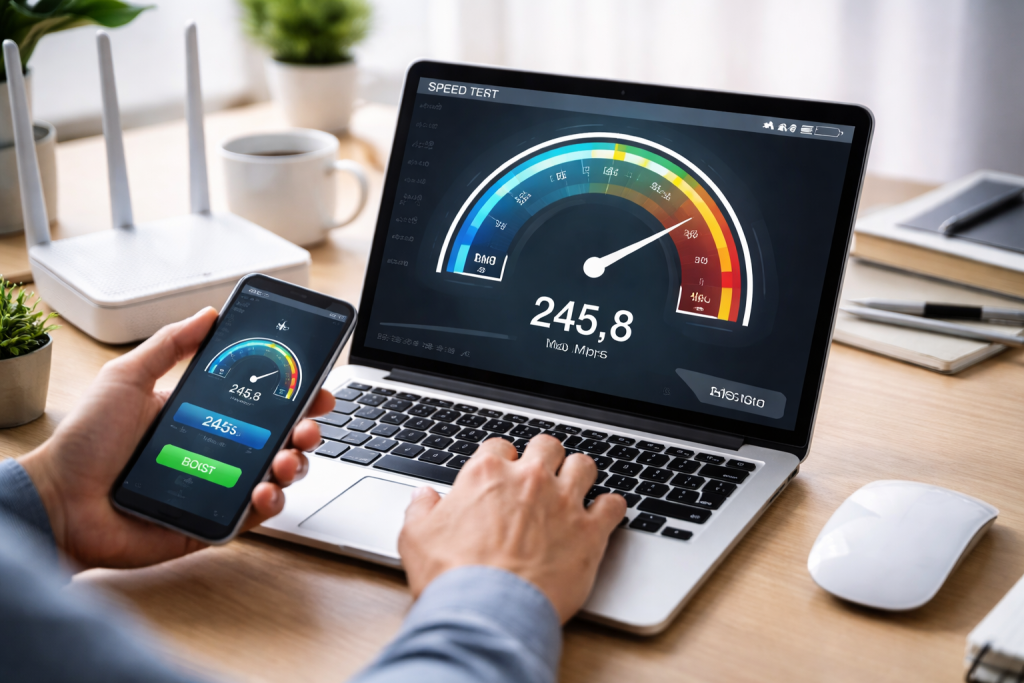
Regularly running internet speed tests is crucial for monitoring your connection. Numerous free online tools and applications allow you to measure your download speed, upload speed, and latency (ping). Consistent readings below your subscribed plan’s speeds, after accounting for home network factors, can indicate underlying issues requiring further investigation.
Network Analyzers
For more advanced users, network analyzer tools can offer comprehensive information about your network traffic. These tools can help identify which devices or applications are consuming the most bandwidth, allowing you to make informed decisions about managing network activity. They can also help diagnose Wi-Fi interference and signal strength issues more precisely.
Browser Optimization
Your web browser itself can be optimized for faster loading. Clearing your browser’s cache and cookies, disabling unnecessary extensions, and ensuring your browser is up to date can all contribute to a snappier browsing experience. Many browsers also have settings to control how pages load, prioritizing content for quicker display.
DNS Server Changes
The Domain Name System (DNS) translates human-readable website names (like google.com) into IP addresses that computers understand. Default DNS servers provided by your ISP are not always the fastest. Switching to a public DNS server, such as Google DNS or Cloudflare DNS, can sometimes result in faster website loading times because these servers are often more efficient.
Using a VPN Responsibly
While Virtual Private Networks (VPNs) are valuable for privacy and security, they can sometimes slow down your internet connection due to the encryption and routing process. If you are experiencing slow speeds and are using a VPN, try disabling it temporarily to see if your speed improves. If it does, try a closer or better-performing VPN server.
Streaming high-definition video and participating in online gaming demand consistent and fast internet speeds. These activities are particularly sensitive to latency and bandwidth limitations.
Minimum Speed Requirements
Streaming services, like Netflix or YouTube, have recommended minimum internet speeds for different video qualities. For example, HD streaming typically requires at least 5 Mbps, while 4K streaming can demand 25 Mbps or more. Online gaming often requires low latency (ping) for a responsive experience. High ping times can lead to lag, making it difficult to play effectively.
Prioritizing Devices
If multiple users are sharing your internet connection, consider prioritizing bandwidth for your streaming or gaming device. Some routers offer Quality of Service (QoS) settings that allow you to assign higher priority to specific devices or types of network traffic. This ensures that your gaming console or streaming device receives sufficient bandwidth even when other devices are active.
Reducing Background Network Activity
Before starting a gaming session or streaming a movie, close any unnecessary applications or browser tabs on your devices. Background downloads, file syncing services, or constant notifications can consume bandwidth and impact the performance of your primary activity.
Wired Connections for Critical Activities
Gaming: As mentioned previously, a wired Ethernet connection is highly recommended for gaming and streaming. It provides a more stable and direct connection, minimizing the impact of Wi-Fi interference and latency. This advice is especially true for competitive gaming, where even millisecond delays can be detrimental.
Router Settings for Gaming
Some gaming consoles and PC gaming platforms offer network optimization settings. Additionally, routers designed for gaming often include features like game-specific QoS or optimized routing protocols to minimize latency.
Maintaining your internet speed is not a one-time fix but an ongoing process. Like any system, your network needs periodic attention to function optimally.
Scheduled Router Restarts
Biweekly: Implementing a schedule for restarting your modem and router can prevent minor issues from escalating. While not always necessary daily, a weekly or biweekly restart can help maintain consistent performance.
Firmware Checks
Make it a habit to check for router firmware updates periodically. New updates often address performance bugs and security vulnerabilities. Neglecting these updates can leave your network operating with known inefficiencies.
Network Device Health
Over time, network cables can become damaged, or network devices can accumulate dust and heat, affecting their performance. Periodically inspect your modem, router, and any Ethernet cables for visible signs of damage or excessive heat. Ensuring adequate ventilation for your networking equipment is also important.
Reviewing Your Internet Plan
As your internet usage needs evolve, it’s wise to periodically review your current internet plan. If your household has grown, or your reliance on online services has increased, your existing plan might no longer be sufficient. Consulting with your ISP about upgrade options can be beneficial.
Security Audits
Malware and unauthorized access to your network can consume bandwidth and slow down your connection. Regularly running antivirus scans on your devices and ensuring your Wi-Fi network is secured with a strong password are essential steps for maintaining both speed and security.
While numerous factors influence internet speed, optimizing performance often presents certain challenges. Understanding these helps in developing effective solutions.
Inconsistent Speeds
One of the most frustrating challenges is experiencing speeds that fluctuate significantly throughout the day. Your ISP’s network congestion, Wi-Fi signal interference, or equipment issues can all contribute to this. Troubleshooting often involves a process of elimination, testing at different times and with different configurations.
Signal Dead Zones
Wi-Fi signal dead zones within a home mean that certain areas receive a weak or no signal, resulting in slow or dropped connections. These can be overcome by repositioning the router, using Wi-Fi extenders, or employing a mesh Wi-Fi system to create more robust and uniform coverage.
ISP Throttling or Data Caps
Some ISPs may intentionally slow down your internet speed (throttle) after you reach a certain data usage limit or impose strict data caps. Understanding your ISP’s terms of service and monitoring your data usage are crucial to avoid these speed reductions. If these policies are too restrictive, exploring alternative ISPs might be necessary.
Outdated Equipment
As technology advances, older modems and routers can become a bottleneck. If your equipment is several years old, it may not be able to handle the demands of modern internet usage or the speeds offered by your ISP. Upgrading your networking hardware is often a necessary step for significant performance improvements.
Combined Issues
Often, internet speed problems are not due to a single cause but a combination of factors. Poor Wi-Fi placement and an overloaded network might exacerbate a slow router. Addressing these issues requires a holistic approach, tackling each contributing element systematically. By understanding the various components that influence internet speed, users can take proactive steps to ensure a faster and more reliable online experience.
FAQs
1. What are the common factors that contribute to slow loading times on the internet?
Various factors, including outdated hardware, network congestion, inadequate bandwidth, and inefficient browser settings, can cause slow loading times on the internet.
2. How can I optimize my internet speed at home?
You can optimize your internet speed at home by using a wired connection instead of Wi-Fi, updating your router firmware, minimizing the number of devices connected to the network, and using a reliable internet service provider.
3. What role do internet service providers play in speed optimization?
Internet service providers play a crucial role in speed optimization by providing adequate bandwidth, maintaining network infrastructure, and offering technical support to address speed-related issues.
4. What tools and techniques can I use to improve my internet speed?
You can use tools such as internet speed tests, network monitoring software, and browser extensions to improve your internet speed. Techniques include optimizing your router settings, clearing cache and cookies, and using a content delivery network (CDN).
5. How can I optimize my internet speed for streaming and gaming?
To optimize your internet speed for streaming and gaming, you can prioritize network traffic, use Quality of Service (QoS) settings on your router, and ensure a stable and high-speed internet connection to minimize latency and buffering.

Smart Tech Manual is a technology-focused platform dedicated to providing simple, clear, and beginner-friendly guides for everyday users.