
Choosing the Right Internet Connection for Your Needs: A Comprehensive Overview
Understanding the landscape of internet options is key to making an informed decision. This guide outlines the different types of services, critical considerations, and strategies for maintaining a reliable connection.
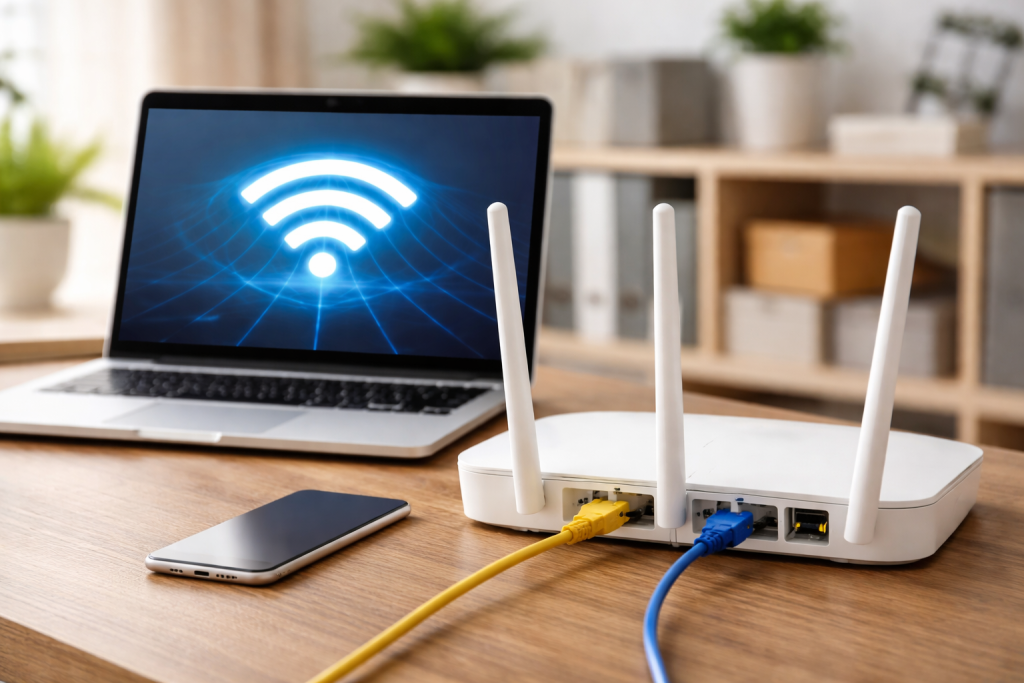
Before selecting an internet service, assess your personal or household’s specific requirements. This foundational step ensures you choose a connection that supports your online activities without overspending or experiencing frustration. Think of your internet connection as the highway to your digital life. How many lanes do you need? What kind of traffic will you be carrying?
Contents
- 0.1 Usage Patterns
- 0.2 Number of Devices
- 0.3 Specific Applications
- 0.4 DSL (Digital Subscriber Line)
- 0.5 Cable Internet
- 0.6 Fiber Optic Internet
- 0.7 Satellite Internet
- 0.8 Fixed Wireless Internet
- 0.9 Availability
- 0.10 Speed (Download and Upload)
- 0.11 Reliability
- 0.12 Latency (Ping)
- 0.13 Data Caps/Throttling
- 0.14 Cost
- 0.15 Research Local Providers
- 0.16 Customer Service Reputation
- 0.17 Contract Terms and Fees
- 0.18 Bundles and Promotions
- 0.19 Matching Speed to Usage
- 0.20 Budget Considerations
- 0.21 Future Needs
- 0.22 Router Placement
- 0.23 Router Quality
- 0.24 Using Ethernet
- 0.25 Regular Resets
- 0.26 Wi-Fi Security
- 0.27 Scalability
- 0.28 Emerging Technologies
- 0.29 Smart Home Integration
- 1 FAQs
- 1.1 1. What are the different types of internet connections available?
- 1.2 2. What factors should I consider when choosing an internet connection?
- 1.3 3. How can I compare internet service providers to find the best option for me?
- 1.4 4. What are some tips for optimizing my internet connection?
- 1.5 5. How can I future-proof my internet connection?
Usage Patterns
Consider how you and others in your household use the internet. Are you a light user who primarily checks email and browses news sites? Or are you a heavy user who streams high-definition video, plays online games, or works from home with large file transfers?
- Light Usage: Activities like email, basic web browsing, and occasional social media. These users typically do not require high download or upload speeds.
- Moderate Usage: Includes streaming standard definition video, regular social media engagement, and some online shopping. A mid-range speed often suffices.
- Heavy Usage: Involves streaming 4K video, frequent online gaming, video conferencing, and downloading or uploading large files (e.g., for work or creative projects). These activities demand higher bandwidth and potentially faster upload speeds.
- Multiple Users/Devices: The more people and devices connected simultaneously, the greater the demand on your internet connection. Even moderate individual usage can become heavy overall with several users at home.
Number of Devices
Count the number of internet-connected devices in your home. This includes smartphones, tablets, computers, smart TVs, gaming consoles, and smart home gadgets. Each device consumes a portion of your bandwidth. A household with numerous devices, even if not all are active at once, benefits from a more robust connection. Imagine each device as a car on your internet highway; more cars require more lanes to prevent congestion.
Specific Applications
Certain applications have particular internet demands. Video conferencing, for example, requires stable connections with decent upload and download speeds to prevent freezing or dropped calls. Online gaming is sensitive to latency (ping), the time it takes for data to travel from your device to the game server and back. High latency leads to lag. Cloud computing applications, especially for professionals, often involve frequent large data transfers, making upload speed a critical factor.
Various technologies deliver internet to your home or business, each with distinct characteristics regarding speed, reliability, and availability.
DSL (Digital Subscriber Line)
DSL uses existing copper telephone lines to transmit data. It is widely available, especially in older or rural areas where more advanced infrastructure has not been deployed.
- Characteristics: DSL speeds are generally lower than cable or fiber, typically ranging from 1 to 100 Mbps. Speed often decreases with distance from the telephone company’s central office. It can be a cost-effective option for basic internet needs.
- Suitability: Good for light to moderate internet use in areas without other high-speed options. Less suitable for heavy streaming or multiple users.
Cable Internet
Cable internet utilizes the same coaxial cables that deliver television signals. It is a common choice in urban and suburban areas.
- Characteristics: Offers higher speeds than DSL, typically ranging from 50 to 1000 Mbps (1 Gbps) or more. Speeds can fluctuate during peak usage times in a neighborhood because bandwidth is shared among users on the same segment of cable.
- Suitability: A versatile option suitable for most households, including those with heavy streamers, gamers, and multiple devices.
Fiber Optic Internet
Fiber optic internet transmits data using light pulses through thin strands of glass or plastic fiber. Often considered the gold standard for residential internet.
- Characteristics: Delivers symmetrical speeds, meaning upload and download speeds are often identical and very high, ranging from 100 Mbps to several gigabits per second (Gbps). It is less susceptible to interference and distance degradation. This is the superhighway of internet connections, offering vast capacity and speed.
- Suitability: Ideal for heavy internet users, large households, professionals working from home, and anyone requiring the fastest, most reliable connection available. Availability can be limited to specific neighborhoods.
Satellite Internet
Satellite internet uses a dish to communicate with satellites orbiting Earth. It is primarily used in remote areas where terrestrial options are unavailable.
- Characteristics: Can provide internet access nearly anywhere. However, it typically has higher latency (due to the distance data must travel to orbit and back) and can be affected by weather conditions. Speeds vary but are generally lower than cable or fiber. Data caps are also common.
- Suitability: A last resort for areas without any other broadband options. Not ideal for latency-sensitive applications like online gaming or real-time video conferencing.
Fixed Wireless Internet
Fixed wireless internet uses radio signals to provide broadband access from a central tower to a receiver at a customer’s location.
- Characteristics: Offers speeds comparable to DSL or lower-tier cable, typically ranging from 10 to 100 Mbps. Availability often depends on line-of-sight to a tower. Can be a good alternative in rural and semi-rural areas.
- Suitability: A viable option for areas where traditional wired broadband is not present but cellular service or tower-based wireless is available.
Selecting an internet service involves more than just speed; other elements significantly impact your overall experience.
Availability
The most important factor is what services are actually available at your specific address. Service providers often have limited footprints. You can’t pave a superhighway if the land isn’t available.
Speed (Download and Upload)
- Download Speed: Measured in megabits per second (Mbps) or gigabits per second (Gbps), this determines how quickly you can receive data from the internet (e.g., streaming videos, downloading files). This is frequently emphasized in advertising.
- Upload Speed: Also measured in Mbps or Gbps, this dictates how fast you can send data to the internet (e.g., uploading files, video conferencing, online gaming data). Often overlooked, but crucial for interactive activities.
Reliability
A reliable connection is one that is consistently available and performs as expected, without frequent outages or significant speed drops. Look at provider reviews concerning network stability.
Latency (Ping)
Latency is the delay in data transmission, measured in milliseconds (ms). Lower latency is better, especially for online gaming and video conferencing. It’s the time it takes for your command to reach the server and for the server’s response to reach you.
Data Caps/Throttling
Some providers impose monthly data limits (data caps). Exceeding these limits can result in extra charges or a reduction in your internet speed (throttling) until the next billing cycle. Unlimited data plans are often preferred for heavy users.
Cost
Compare the monthly cost of plans, including any equipment rental fees, installation charges, and potential promotional rates that expire after a certain period. Consider the overall value rather than just the lowest price.
Once you have identified available connection types in your area, the next step is to evaluate the providers themselves.
Research Local Providers
Start by identifying all internet service providers (ISPs) that serve your address. Online tools and direct inquiries to providers can help with this.
Customer Service Reputation
A provider’s customer service can significantly impact your experience, especially when issues arise. Look for reviews regarding responsiveness, problem resolution, and technical support.
Contract Terms and Fees
Understand the contract length, early termination fees, and any hidden costs. Some providers offer no-contract options, while others require commitments of one or two years. Be aware of equipment rental fees.
Bundles and Promotions
Many ISPs offer bundles that combine internet with TV, phone, or mobile services. These can sometimes offer savings, but assess if you genuinely need all components of the bundle. Watch out for introductory pricing that increases significantly after the first year.
With providers compared, it’s time to pinpoint the plan that best matches your needs and budget.
Matching Speed to Usage
Based on your earlier assessment of usage patterns and devices, select a speed tier that adequately supports your activities. For a household of 2-4 moderate users, 100-300 Mbps download speed is often sufficient. Heavy users, multiple 4K streamers, or larger families might benefit from 500 Mbps or 1 Gbps. Remember to also consider upload speeds if you frequently send large files or participate in video conferences.
Budget Considerations
Balance your desired speed and reliability with what you can afford. Sometimes a slightly lower speed plan from a reputable provider with good customer service is a better value than the fastest plan from a provider with a poor track record.
Future Needs
While choosing a plan for today, consider your needs for the near future. Are you planning to add smart home devices? Will family members be moving in who will increase internet usage? Building in a small buffer can prevent the need for an immediate upgrade.
Even with the right plan, several factors within your home can affect your internet performance.
Router Placement
Place your Wi-Fi router in a central location, away from obstructions like walls, large appliances, and reflective surfaces. Higher placement can often improve signal distribution. Think of your Wi-Fi signal like a light bulb; you want it in the middle of the room, not tucked in a corner.
Router Quality
An old or low-quality router can bottleneck your internet speed, even if you pay for a fast connection. Consider upgrading to a modern router that supports the latest Wi-Fi standards (e.g., Wi-Fi 6 or 6E) and can handle the speeds provided by your ISP.
Using Ethernet
For devices that demand the most stable and fastest connection (e.g., gaming PCs, streaming boxes), a wired Ethernet connection is superior to Wi-Fi. It eliminates wireless interference and offers lower latency.
Regular Resets
Periodically restarting your modem and router can resolve minor connectivity issues and improve performance. This clears out temporary data and helps the devices re-establish optimal connections.
Wi-Fi Security
Secure your Wi-Fi network with a strong password (WPA2 or WPA3 encryption) to prevent unauthorized access. An unsecured network can lead to others using your bandwidth, slowing down your connection.
Technology evolves rapidly. Consider long-term factors when making your choice.
Scalability
Choose a provider and technology that offers room for future upgrades. Fiber optic internet, for example, is inherently more scalable than DSL or older cable infrastructure, making it easier to upgrade to faster speeds as they become available.
Emerging Technologies
Keep an eye on trends like 5G home internet, which is becoming a competitive option in some areas, or even next-generation Wi-Fi standards. While not always practical for immediate adoption, being aware of these can inform future decisions.
Smart Home Integration
As smart home devices become more prevalent, your internet connection will become even more central. Ensure your chosen plan and equipment can support a growing ecosystem of connected gadgets.
By systematically evaluating your needs, understanding connection types, comparing providers, and optimizing your setup, you can ensure a digital experience that is both reliable and robust.
FAQs
1. What are the different types of internet connections available?
There are several types of internet connections available, including DSL, cable, fiber-optic, satellite, and wireless. Each type has its own advantages and disadvantages, so it’s important to consider your specific needs before choosing the right one for you.
2. What factors should I consider when choosing an internet connection?
When choosing an internet connection, it’s important to consider factors such as speed, reliability, availability, cost, and the number of devices that will be connected. Additionally, consider the type of activities you will be using the internet for, such as streaming, gaming, or basic web browsing.
3. How can I compare internet service providers to find the best option for me?
To compare internet service providers, consider factors such as the speed and reliability of their connections, their customer service reputation, any additional fees or contracts, and the availability of their service in your area. It’s also helpful to read reviews and ask for recommendations from friends and family.
4. What are some tips for optimizing my internet connection?
To optimize your internet connection, consider using a wired connection instead of Wi-Fi, placing your router in a central location, minimizing interference from other devices, and regularly updating your equipment and software. Additionally, consider using a quality router and modem to improve your connection.
5. How can I future-proof my internet connection?
To future-proof your internet connection, consider choosing a provider that offers scalable speeds and has a reputation for investing in infrastructure upgrades. Additionally, consider the potential for new technologies, such as 5G or fiber optic, and choose a plan that allows for flexibility and upgrades as needed.

Smart Tech Manual is a technology-focused platform dedicated to providing simple, clear, and beginner-friendly guides for everyday users.