
Maximizing Security and Convenience: A Complete Guest Network Setup Tutorial
This tutorial guides you through setting up a guest network, focusing on balancing security with user convenience. A well-configured guest network acts as a buffer, protecting your primary network from potential threats while offering easy access to visitors.
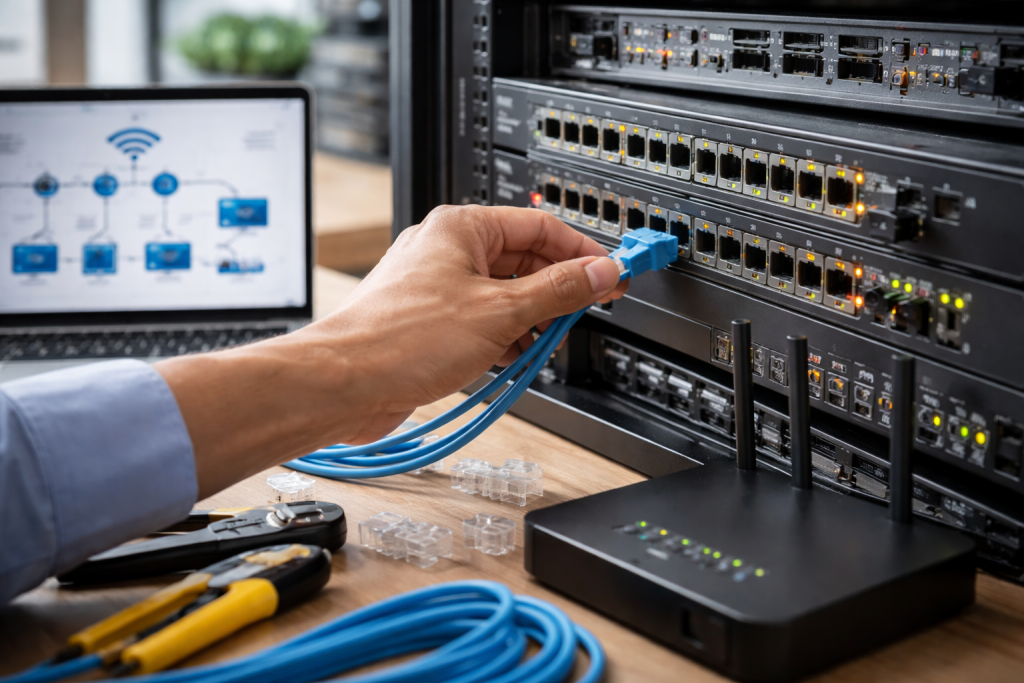
Establishing a guest network is not merely about providing internet access; it’s about creating a controlled environment. You should isolate a guest network, unlike your main network, which typically houses sensitive personal data and devices. This isolation is the first and most critical layer of defense. Think of it like installing a separate entrance for visitors to your home. While they can access the main living areas, they don’t inherently have keys to your private study or bedroom. Network segmentation, a fundamental concept in network management, achieves this separation.
Contents
- 0.1 Understanding the Need for an Isolated Network
- 0.2 The Core Benefits of Guest Network Deployment
- 0.3 Router Capabilities for Guest Networks
- 0.4 Understanding Network Interface Cards (NICs) and Access Points (APs)
- 0.5 Configuring the Guest Network SSID and Password
- 0.6 Network Isolation Explained
- 0.7 Bandwidth Throttling for Guest Access
- 0.8 Client Isolation and Other Security Settings
- 0.9 Time-Based Access Restrictions
- 0.10 Simple Connection Process for Guests
- 0.11 Providing Internet Access Without Network Exposure
- 0.12 Auto-Logoff and Captive Portals
- 0.13 Reviewing Connected Devices
- 0.14 Analyzing Network Traffic and Logs
- 0.15 Keeping Router Firmware Updated
- 0.16 Tips for Long-Term Network Health
- 1 FAQs
- 1.1 What is a guest network, and why is it important to set up a separate one?
- 1.2 What equipment is necessary for setting up a secure guest network?
- 1.3 What are access controls and restrictions, and how can they enhance guest network security?
- 1.4 How can guest network connectivity be made seamless for users while maintaining security?
- 1.5 What are some tips for maintaining a secure and convenient guest network setup?
Understanding the Need for an Isolated Network
When guests connect to your Wi-Fi, they introduce a degree of inherent risk. Malware, viruses, or spyware may compromise their devices. Without a separate network, these threats could potentially spread to your personal devices, compromising your sensitive information, financial data, or even your identity. A guest network acts as a quarantine zone. If a guest’s device is infected, the malware is contained within the guest network and cannot easily traverse to your private network. This keeps your digital home secure.
The Core Benefits of Guest Network Deployment
The primary benefit of a guest network is security isolation. By creating a distinct network, you prevent unauthorized access to your primary network’s resources, such as shared files, printers, or networked storage devices. This significantly reduces the attack surface for potential malicious actors. Beyond security, a guest network also enhances performance. By offloading guest traffic from your main network, you ensure that your primary network remains fast and responsive for your activities. This prevents a surge of guest devices from bogging down your internet speed, making your own online experience smoother. Furthermore, it provides privacy control. You can implement specific policies for the guest network that might not be suitable for your main network, such as bandwidth limitations or content filtering.
The effectiveness of your guest network depends on the capabilities of your networking equipment, primarily your Wi-Fi router. When it comes to guest network functionality, not all routers are equal.
Router Capabilities for Guest Networks
mid-Modern Wi-Fi routers, particularly those in the mid- to high-end range, often include built-in guest network features. This is the easiest and most common way to set up a guest network. Look for routers that explicitly advertise “Guest Wi-Fi” or “Guest Network” capabilities. These features typically allow you to create a separate SSID (network name) and password for your guests, distinct from your main network. The router then handles the isolation automatically. Some advanced routers offer granular control, allowing you to set time limits for guest access or even restrict certain network services.
Understanding Network Interface Cards (NICs) and Access Points (APs)
While most home users will rely on their existing router, in larger environments or for more specialized setups, dedicated Wireless Access Points (APs) might be used. These devices extend Wi-Fi coverage. Many modern APs also support the creation of multiple SSIDs, allowing for similar guest network functionality as a router. The Network Interface Card (NIC) is the component within a device that connects it to a network. For a guest network, the focus is on the capabilities of the router or access point that is broadcasting the guest SSID, not the NICs in the guest devices themselves. The router’s NIC is crucial for its ability to manage and separate network traffic.
The physical or logical separation of guest traffic is paramount. This is where the router’s guest network feature excels.
Configuring the Guest Network SSID and Password
Once you’ve identified a router with guest network capabilities, the setup process is usually straightforward through its web-based administration interface. You will typically be prompted to:
- Enable the Guest Network: This is a simple toggle switch.
- Create a Unique SSID: Choose a name that clearly identifies it as the guest network (e.g., “MyHome_Guest”). Avoid using your main network’s SSID with a slight variation, as the result can lead to confusion.
- Set a Strong Password: Just as with your main network, use a complex password that is difficult to guess. Consider a password that is straightforward for guests to remember or share verbally, but avoid overly simple or common phrases. The passphrase serves as the primary security measure at the connection level.
Network Isolation Explained
The magic of a guest network feature lies in the router’s ability to isolate it from your main network. When you enable the guest network, the router assigns it a separate IP address range and typically applies a firewall rule that prevents devices on the guest network from communicating with devices on the primary network. This process is like having two separate mailboxes at your house: one for incoming mail for your household and another for mail intended for visitors. The routes these pieces of mail take are distinct.
Once you set up the guest network, you can fine-tune its behavior to enhance security and manage bandwidth.
Bandwidth Throttling for Guest Access
High bandwidth usage by guests can impact the performance of your main network. Many routers allow you to set bandwidth limits (throttling) for the guest network. This ensures that guest devices consume a predefined amount of bandwidth, leaving ample resources for your primary network. This procedure is akin to placing a speed limit on the road leading to your visitor’s parking area, ensuring it doesn’t impede traffic flow on the main boulevards.
Client Isolation and Other Security Settings
Some routers offer a “client isolation” feature specifically for guest networks. When enabled, this prevents devices connected to the guest network from communicating with each other. Such an arrangement is a valuable security measure, as it stops a compromised guest device from attacking other guest devices. Additionally, consider disabling features like WPS (Wi-Fi Protected Setup) on the guest network, as it can sometimes introduce vulnerabilities. For more advanced users, some routers allow for the creation of specific firewall rules to block certain ports or protocols for guest traffic, further restricting potential misuse.
Time-Based Access Restrictions
For added control, some routers allow you to schedule when the guest network is active. This is useful if you only want to offer guest access during specific times of the day or week. This method can prevent unauthorized access outside of designated periods.
While security is paramount, a guest network should also be easy for visitors to use. The goal is a seamless experience that doesn’t require technical expertise.
Simple Connection Process for Guests
A well-named SSID and a clear, easy-to-share password contribute significantly to a convenient connection process. Guests should be able to find your guest network in their Wi-Fi settings and connect with minimal effort. Avoid overly complex SSIDs or passwords that are difficult to type or recall. Provide the password verbally or via a simple text message.
Providing Internet Access Without Network Exposure
backdoorThe primary purpose of a guest network is to provide internet access. By default, most guest network configurations will achieve this. The crucial aspect is ensuring that this internet access does not provide a back door to your internal network. The router’s firewall and routing policies should strictly manage what traffic is allowed and where it can go. This means guests can browse the web, check emails, and use streaming services, but they cannot see your shared folders or printers. This is like giving your guests a visitor’s pass to a building; they can access the common areas and leave, but they can’t enter restricted offices.
Auto-Logoff and Captive Portals
Some advanced routers or dedicated guest network solutions offer features like auto-logoff, where guest devices are automatically disconnected after a period of inactivity or a set duration. This is a useful security feature that frees up IP addresses and reduces the risk of persistent, unattended connections. Captive portals are also common, particularly in commercial settings like cafes or hotels. Upon connecting, guests are presented with a web page where they must agree to terms of service or enter a password, providing a more controlled onboarding process. While less common in home setups, the principle remains: a controlled entry point.
A guest network requires constant monitoring and maintenance. Regular monitoring and maintenance are essential to ensure continued security and optimal performance.
Reviewing Connected Devices
Most routers provide an interface to view a list of devices currently connected to your network, including the guest network. Regularly check this list for any unfamiliar or suspicious devices. If you see a device you don’t recognize on your guest network, it could indicate a security issue or unauthorized access.
Analyzing Network Traffic and Logs
Some routers offer basic traffic analysis tools or system logs. These can offer details about the type and volume of traffic on your guest network. While detailed analysis might be beyond the scope of the average home user, a general understanding of what’s happening can be beneficial. If you notice an unusually high volume of traffic, it might warrant further investigation.
Keeping Router Firmware Updated
Router manufacturers regularly release firmware updates that address security vulnerabilities and improve performance. It is critical to keep your router’s firmware up to date. This procedure is akin to ensuring your house’s locks are always the latest model with no known weaknesses. Access your router’s administration interface and check for any available firmware updates. This process is a proactive measure that significantly bolsters your network’s defenses against emerging threats.
Tips for Long-Term Network Health
Beyond the technical aspects, maintaining a secure and convenient guest network involves good practice. Regularly review and update your guest network password, especially if you suspect it may have been compromised or if many different guests have had access over time. Educate yourself and your guests about basic Wi-Fi security. Encourage guests to keep their own devices updated and running antivirus software. Clearly label your guest network and its purpose to avoid confusion with your main network. By treating your guest network as an active component of your security strategy, rather than a passive convenience, you can effectively safeguard your digital environment.
FAQs
What is a guest network, and why is it important to set up a separate one?
A guest network is a separate network within a home or business that allows visitors to access the internet without compromising the security of the main network. It is important to set up a separate guest network to protect sensitive data and devices from potential security threats posed by guest users.
What equipment is necessary for setting up a secure guest network?
To set up a secure guest network, you will need a wireless router that supports guest network functionality, such as a dual-band router with the ability to create a separate network for guests. Additionally, you may need access points, switches, and other networking equipment depending on the size and layout of the area to be covered by the guest network.
What are access controls and restrictions, and how can they enhance guest network security?
Access controls and restrictions allow network administrators to limit the access and activities of guest users on the network. This can include setting time limits, bandwidth restrictions, and blocking access to certain websites or services. By implementing these controls, administrators can enhance the security of the guest network and prevent unauthorized or malicious activities.
How can guest network connectivity be made seamless for users while maintaining security?
To ensure convenience for guest network users, it is important to provide a seamless connectivity experience. This can be achieved by using technologies such as captive portals for easy authentication and by providing clear instructions for connecting to the guest network. Additionally, using strong encryption and authentication methods can maintain security while providing a user-friendly experience.
What are some tips for maintaining a secure and convenient guest network setup?
Some tips for maintaining a secure and convenient guest network setup include regularly updating firmware and security patches on networking equipment, monitoring network usage for any suspicious activity, educating users about best practices for using the guest network, and implementing strong password policies for guest network access. Regularly reviewing and updating security measures will help you maintain a secure and convenient guest network setup.

Smart Tech Manual is a technology-focused platform dedicated to providing simple, clear, and beginner-friendly guides for everyday users.