
Empower Yourself with App Usage Control: A Complete How-To Guide
App usage control refers to the practice of managing and limiting the time spent on specific applications or overall screen time on a digital device. This practice is becoming increasingly relevant in a world where mobile devices and their applications are deeply integrated into daily life, serving purposes ranging from communication and informational access to entertainment and productivity. Understanding and implementing app usage control can lead to improved focus, better time management, and enhanced overall well-being, much like a skilled gardener tending to their plants, ensuring they receive the right amount of water and sunlight without becoming overgrown.
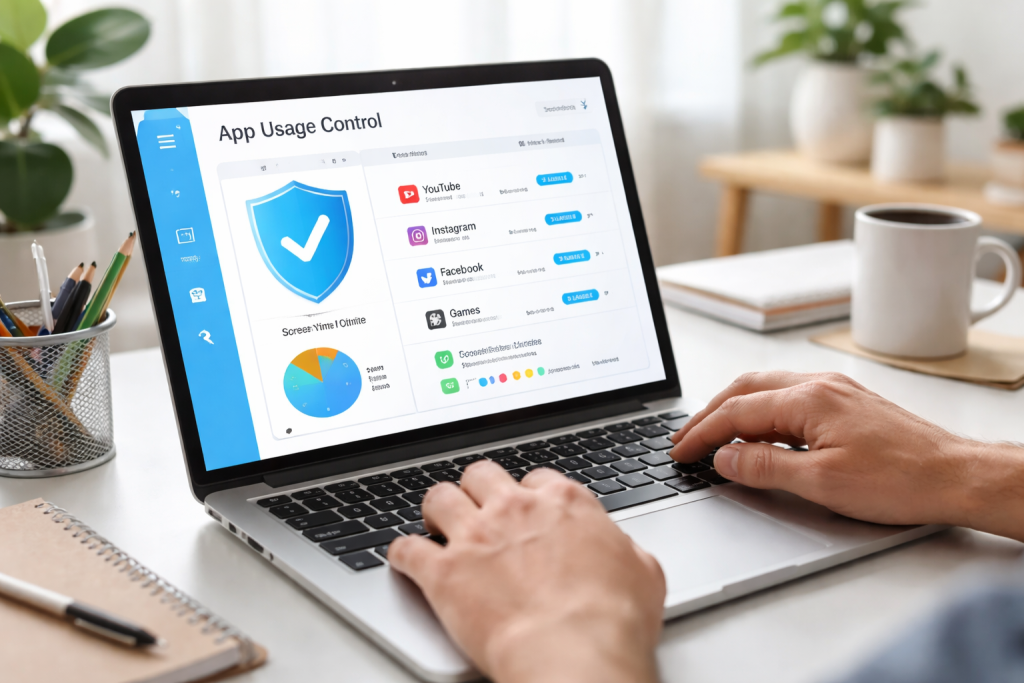
The proliferation of digital applications has created a landscape rich with opportunities and conveniences. However, this same richness can also present challenges. Digital diversions interrupted by unchecked app usage can lead to diminished productivity. It can also impact mental health, with social media applications, for example, sometimes contributing to feelings of inadequacy or anxiety through constant comparison. Establishing boundaries around app usage is therefore not about deprivation but about reclaiming control over one’s time and attention. It’s akin to setting a firm course for a ship; without a captain steering and adjusting the sails, the vessel can drift aimlessly.
Contents
- 0.1 Recognizing the Impact on Productivity
- 0.2 Addressing Mental and Emotional Well-being
- 0.3 Promoting Physical Health and Sleep Quality
- 0.4 Understanding Built-in Operating System Features
- 0.5 Exploring Third-Party Applications for Enhanced Control
- 0.6 The Granularity of App Permissions
- 0.7 The Power of Notification Management
- 0.8 Tracking Your Digital Footprint
- 0.9 Setting Realistic Time Limits and Goals
- 0.10 Establishing Digital Boundaries for Children
- 0.11 Monitoring and Managing Family-Wide App Usage
- 0.12 Differentiating Between Various App Categories
- 0.13 Evaluating Features Before Installation
- 0.14 Cultivating Digital Mindfulness
- 0.15 Integrating Digital Breaks and Unplugged Time
- 0.16 Regularly Reviewing and Adjusting Controls
- 1 FAQs
Recognizing the Impact on Productivity
By default, many applications aim to engage users. Notifications, continuous feeds, and gamified elements all contribute to capturing and holding user attention. While beneficial for specific purposes, this inherent design can easily lead to distraction. A significant portion of the workday or study time can be lost to sporadic app checks that snowball into extended sessions. This loss of focus does not happen in an instant; it is a gradual erosion, like a persistent tide wearing away a coastline.
The Psychology of Engagement and Design
Developers often employ psychological principles to maximize user engagement. This can include variable rewards, such as the unpredictable nature of social media feeds, or the sense of accomplishment derived from completing tasks within an app, however trivial. Understanding these design choices can equip users with the awareness needed to resist their constant pull.
Addressing Mental and Emotional Well-being
Excessive screen time, particularly with applications that foster social comparison or expose users to potentially negative content, can have a detrimental effect on mental health. The constant influx of curated lives on social media can create unrealistic expectations and foster feelings of inadequacy. Moreover, the addictive nature of some apps can lead to a cycle of compulsive use, disrupting sleep patterns and contributing to stress. This is not unlike a house built on unstable ground; the foundation must be sound for the structure to remain stable.
The Role of Social Media in Well-being
Social media platforms, while offering avenues for connection, can also become a source of stress and anxiety if not managed. The pressure to present an idealized self, the fear of missing out (FOMO), and exposure to cyberbullying are all potential negative consequences. Conscious management of usage can mitigate these risks.
Promoting Physical Health and Sleep Quality
Extended periods spent looking at screens can contribute to eye strain, headaches, and poor posture. Furthermore, the blue light emitted from screens can interfere with the body’s natural sleep-wake cycle, making it harder to fall asleep and reducing the quality of rest. Establishing a digital detox period before sleep is a practical step towards improving sleep hygiene. This is similar to preparing the soil before planting; a healthy environment is crucial for growth.
The Impact of Blue Light on Circadian Rhythms
The body’s internal clock, or circadian rhythm, is sensitive to light exposure. Blue light, prevalent in digital screens, is particularly effective at suppressing melatonin production, a hormone essential for sleep. Reducing screen time in the hours leading up to bedtime can help reset this rhythm.
Modern operating systems offer built-in tools to manage app usage. These features provide a starting point for users to gain insight into their digital habits and implement initial controls. Familiarizing yourself with these native settings is the first step in establishing a healthier relationship with your device. Think of these tools as the basic framework of a house, providing the essential structure upon which more personalized controls can be built.
Understanding Built-in Operating System Features
Both Android and iOS platforms provide features such as “Digital Wellbeing” (Android) and “Screen Time” (iOS). These tools offer dashboards that detail app usage, allow for setting time limits, and facilitate the blocking of certain applications. Leveraging these inherent capabilities is a straightforward and effective way to begin monitoring and managing your device interaction.
Digital Wellbeing on Android provides a clear overview of how time is spent across different applications. It allows users to set daily time limits for specific apps, which will then grey out when the limit is reached, preventing further use until the next day. It also offers a “Focus Mode” to temporarily pause distracting apps.
Utilizing iOS’s Screen Time
On iOS, Screen Time offers a comprehensive suite of controls. Users can see their app usage, set downtime schedules for when apps are restricted, and establish app limits for specific categories or individual applications. It also includes features for content and privacy restrictions.
Exploring Third-Party Applications for Enhanced Control
While built-in features are valuable, some users may find that third-party applications offer more granular control, advanced features, or cross-platform synchronization. These apps can provide additional layers of customization for managing app usage. This is like adding custom features to a basic house, such as smart home technology or specialized security systems.
Category and App-Specific Limiting Tools
Numerous third-party applications allow for detailed management of app usage. These can include tools that let you set limits not just for individual apps but also for entire categories of apps (e.g., social media, games). Some also offer features like scheduled app blocking or password protection for app access.
Cross-Platform Synchronization and Family Management
For users with multiple devices or families, third-party apps can offer synchronization across different platforms (e.g., Android and iOS) and robust parental control features. This unified approach ensures consistent management of app usage across all devices within a household.
Permissions and notifications are two powerful levers for controlling how applications interact with your device and demand your attention. By judiciously managing these settings, you can significantly reduce unnecessary interruptions and maintain a more focused environment. This is akin to placing guards at the gates of a city, deciding who and what can enter and when.
The Granularity of App Permissions
Applications often request access to various aspects of your device, such as your location, contacts, camera, or microphone. While many permissions are necessary for an app’s intended functionality, others may be excessive or indicative of potential privacy concerns. Regularly reviewing and adjusting these permissions helps protect your data and limits an app’s ability to operate in the background.
Understanding Common Permission Categories
Familiarizing yourself with the types of permissions requested is crucial. For instance, location permissions can be set to “only while using the app” or “ask next time,” providing a balance between functionality and privacy. Camera and microphone permissions should ideally be granted only when the app is actively being used for a feature that requires them.
Regularly Auditing and Revoking Unnecessary Permissions
A proactive approach involves regularly checking which apps have access to which permissions. If an app is no longer used, or if a permission seems excessive for its function, it should be revoked. This is a continuous process of refinement, ensuring that your device’s resources and your personal data are not unduly exposed.
The Power of Notification Management
Notifications are designed to alert you to new activity, but they can also be a relentless source of distraction. By strategically controlling which apps can send notifications and how they are delivered, you can reclaim your attention and establish periods of uninterrupted focus. This is like managing the sound of a workshop; you only want to hear the important announcements, not the constant background hum.
Categorizing and Prioritizing Notifications
Most operating systems allow for the categorization of notifications, enabling you to differentiate between critical alerts and less important updates. You can also adjust the type of alert, such as disabling sound or vibration for certain apps, or opting for “silent” notifications that appear only in the notification bar.
Implementing “Do Not Disturb” and Focus Modes
“Do Not Disturb” modes and dedicated “Focus Modes” (available on both Android and iOS) are powerful tools for creating focused environments. These modes allow you to silence all or select notifications for designated periods, making it easier to concentrate on tasks, spend time with loved ones, or simply enjoy downtime without digital interruptions.
Gaining awareness of your screen time habits is the first step toward making meaningful changes. Once you understand where your time is going, you can then implement strategies to limit it effectively. This is like taking inventory of your pantry before planning your meals; you need to know your current situation to make informed decisions about what to do next.
Tracking Your Digital Footprint
The monitoring tools are the compass and map for navigating your digital landscape. They reveal the time spent on each application, allowing you to identify patterns and understand which apps are consuming the most of your attention. This data is not about judgment but about illumination.
Utilizing Built-in Analytics Dashboards
As mentioned previously, operating systems provide detailed breakdowns of screen time. These dashboards are your primary source for understanding your usage patterns. Pay attention to which apps you spend the most time on and during what times of day.
Identifying Usage Anomalies and Habits
Are you spending more time on social media than you realized? Is your gaming habit cutting into your sleep? Identifying these anomalies is key to understanding where changes are needed. It’s about recognizing the well-trodden paths in your digital journey.
Setting Realistic Time Limits and Goals
Once you have a clear picture of your usage, you can set achievable goals for reduction. Instead of aiming for an immediate drastic cut, consider setting gradual limits for specific applications or overall screen time. This approach is more sustainable and less likely to lead to frustration.
Incremental Reduction Strategies
Begin by setting modest goals. If you spend an average of two hours a day on social media, aim to reduce it to one hour and thirty minutes for the first week. Once that becomes comfortable, aim for further reductions. This is like training for a marathon; you build up endurance gradually.
Scheduling Digital Downtime
Beyond app-specific limits, consider scheduling blocks of time where no screen use is permitted. This could be during meals, the hour before bed, or during family activities. These deliberate breaks are crucial for mental well-being and re-establishing a balance.
For parents and guardians, managing children’s app usage is a critical aspect of digital safety and well-being. Parental control features offer a framework for guiding young users toward healthier digital habits and protecting them from inappropriate content. This is akin to a seasoned sailor charting a safe course for a young voyager through potentially turbulent waters.
Establishing Digital Boundaries for Children
Parental controls allow for the creation of a safe and controlled digital environment for children. This includes restricting access to certain applications, setting time limits, and filtering content. These measures are not about punishment but about guidance and protection.
Implementing Age-Appropriate Restrictions
Most parental control systems allow for the establishment of age-appropriate restrictions. This means ensuring that children only have access to applications and content that are suitable for their developmental stage. This is a foundational element of responsible digital parenting.
Scheduling Device Use and App Access
Parents can use these controls to schedule specific times when devices can be used and which applications are accessible. This helps ensure that screen time does not interfere with schoolwork, family time, or sleep. It establishes a clear rhythm for digital engagement.
Monitoring and Managing Family-Wide App Usage
Many parental control solutions extend beyond individual devices to manage app usage across an entire family. This provides a centralized dashboard for monitoring and adjusting settings for multiple users. This holistic approach ensures consistency and transparency.
Using Family Sharing and Account Management
Features like Apple’s Family Sharing or Google’s Family Link allow parents to manage app purchases, screen time, and content restrictions for all family members’ devices. This simplifies the management process and promotes a unified digital policy.
Fostering Open Communication About Digital Habits
While technical controls are important, fostering open communication with children about their app usage and online experiences is equally crucial. Discussions about online safety, the impact of screen time, and responsible digital citizenship can empower children to make informed choices.
While operating system features provide a solid foundation, a vast ecosystem of third-party applications offers specialized tools and enhanced capabilities for app usage control. These apps can cater to specific needs, such as deep focus, preventing procrastination, or managing screen time for entire families. This is like a craftsman choosing the perfect tool for a specific job, ensuring precision and efficiency.
Differentiating Between Various App Categories
App usage control apps fall into several categories, each with its own strengths. Some focus on blocking apps during specific times, while others offer detailed analytics and gamified approaches to encourage reduced usage. Understanding these distinctions is key to selecting the most suitable solution.
Focus and Productivity Enhancement Apps
These apps are designed to help users concentrate on tasks by blocking distracting applications or websites for set periods. They often incorporate features like timed work sessions (e.g., the Pomodoro Technique) and progress tracking. These are your allies in the battle against digital distractions.
Screen Time Management and Analytics Tools
These applications offer comprehensive tracking of your digital habits, providing detailed reports on app usage, time spent, and engagement patterns. They often include robust features for setting and enforcing time limits, and some even offer cross-platform synchronization.
Digital Well-being and Habit-Building Applications
Some apps focus on promoting overall digital well-being by encouraging mindful usage and helping users build healthier digital habits. They may offer features like guided digital detoxes, daily check-ins, and personalized recommendations for reducing screen time.
Evaluating Features Before Installation
Before downloading an app, it’s beneficial to consider your specific needs. Are you looking for simple time limits, or do you require advanced blocking features? Do you need cross-platform compatibility? Reading reviews and exploring app descriptions can help you make an informed decision.
Considering User Interface and Ease of Use
A good app should be intuitive and easy to navigate. If the app itself is complex to manage, you’re less likely to use it consistently. Look for apps with a clean interface and straightforward controls. The tool should serve you, not require more effort than the problem it’s meant to solve.
Understanding Privacy Policies and Data Handling
As with any application that monitors your usage, it’s important to review the app’s privacy policy. Ensure that the app handles your data responsibly and transparently and that it aligns with your comfort level regarding data collection.
Implementing app usage controls is a significant step, but maintaining these habits requires ongoing effort and a mindful approach. It’s not a one-time fix but a continuous process of adjustment and self-awareness. This is like tending a garden; regular watering, weeding, and pruning are necessary to keep it thriving.
Cultivating Digital Mindfulness
Digital mindfulness involves being aware of your motivations for picking up your device and the impact of your app usage on your mood and focus. It’s about asking yourself, “Why am I reaching for my phone right now?” and “How does this app make me feel?” This conscious reflection is the bedrock of healthy habits.
Practicing Intentional Usage
Before opening an app, take a moment to consider your purpose. Are you checking email for a specific reason, or is it a reflex? By being intentional, you can reduce mindless scrolling and use apps for their intended, productive purposes. This shifts usage from a passive consumption to an active engagement.
Recognizing Triggers for Excessive Use
Identify the situations or emotions that often lead you to excessive app usage. For some, it might be boredom, stress, or a desire for escape. Once you identify these triggers, you can develop alternative coping mechanisms that don’t involve reaching for your device.
Integrating Digital Breaks and Unplugged Time
Regularly scheduling periods of time where you intentionally disconnect from your devices is essential for mental rejuvenation and a balanced life. These breaks allow your mind to rest, your eyes to recover, and provide opportunities for other activities. This is like letting a well-worn tool rest; it maintains its effectiveness for when it’s truly needed.
Establishing Technology-Free Zones and Times
Designate certain areas of your home as tech-free zones, such as the dining table or bedroom. Similarly, consider setting specific times of the day, like the hour before bed or during family meals, as technology-free periods. These boundaries reinforce the importance of offline engagement.
Engaging in Offline Activities
Actively pursue hobbies, spend time in nature, exercise, or engage in face-to-face interactions. Filling your time with fulfilling offline activities reduces the temptation to turn to your device for entertainment or distraction. This is about enriching your life beyond the screen.
Regularly Reviewing and Adjusting Controls
Your app usage habits and needs may change over time. Therefore, it’s important to regularly review your app usage controls and make necessary adjustments. What worked a few months ago might need tweaking. This ongoing evaluation ensures that your strategy remains effective and relevant to your current lifestyle. This is akin to a ship captain periodically checking their charts and adjusting their course based on changing currents and weather patterns.
Periodic Assessment of Usage Patterns
Set aside time, perhaps monthly, to review your screen time data. Are you meeting your goals? Have new applications become problematic? This retrospective analysis allows for informed adjustments to your time limits and blocking schedules.
Adapting to New Applications and Lifestyles
As new apps emerge or your daily routine changes, your app usage control strategy may need to adapt. Be willing to experiment with new settings or applications if your current approach is no longer optimal. Flexibility and a willingness to evolve are key to long-term success.
FAQs
What is app usage control, and why is it important?
App usage control refers to the ability to monitor and manage the time spent on apps, as well as control the permissions and notifications for each app. It is important because excessive app usage can lead to decreased productivity, addiction, and negative impacts on mental and physical health.
How can I set up app usage control on my device?
You can set up app usage control on your device by using built-in features such as Screen Time on iOS devices or Digital Wellbeing on Android devices. These features allow you to set app limits, schedule downtime, and view app usage data.
What are some tips for maintaining healthy app usage habits?
Some tips for maintaining healthy app usage habits include setting app limits, scheduling regular screen-free time, turning off unnecessary notifications, and being mindful of the time spent on each app.
How can I utilize parental controls for app usage?
You can utilize parental controls for app usage by setting up restrictions on your child’s device, such as limiting app usage, blocking inappropriate content, and monitoring their screen time.
How can I find the right apps to help with app usage control?
You can find the right apps to help with app usage control by researching and downloading reputable apps from the App Store or Google Play Store that offer features such as app time tracking, app blocking, and app usage monitoring.

Smart Tech Manual is a technology-focused platform dedicated to providing simple, clear, and beginner-friendly guides for everyday users.