
Maximizing Your Mobile Data: The Ultimate Control Guide
Mobile data is a vital resource for modern communication and access to information. However, uncontrolled usage can lead to unexpected costs and a depleted data allowance. This guide provides practical strategies for understanding, managing, and optimizing mobile data consumption, ensuring you stay connected without draining your budget.
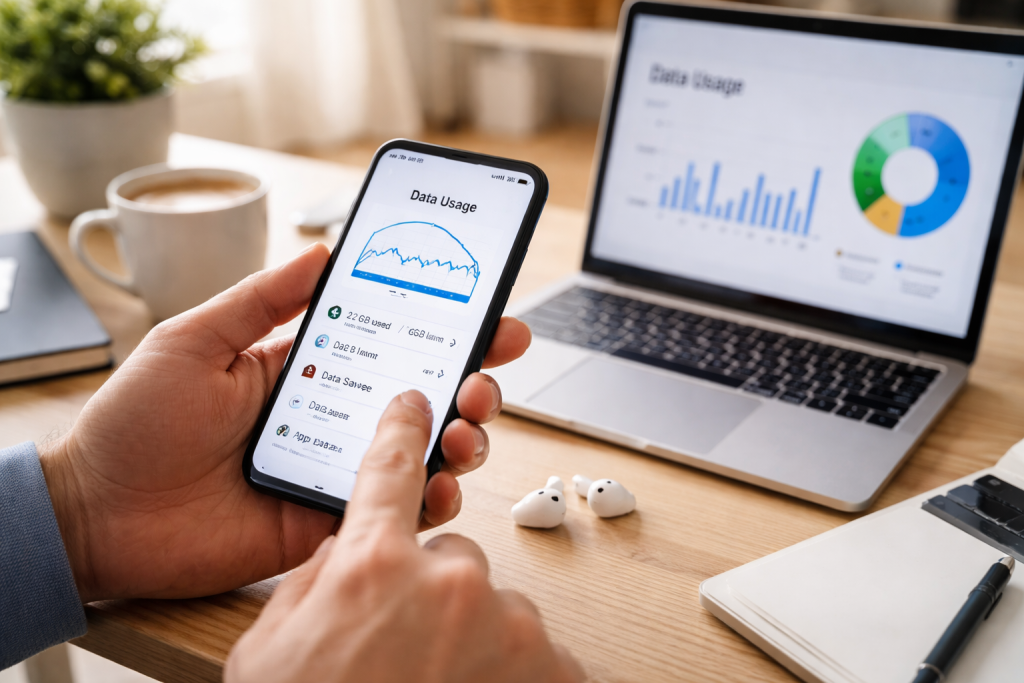
Mobile data, often referred to as cellular data, allows devices like smartphones and tablets to connect to the internet via a cellular network. This connection enables a wide range of online activities, from browsing websites and using social media to streaming videos and downloading files. The amount of data consumed during these activities varies significantly. For instance, simple text-based communication uses far less data than high-definition video streaming. Understanding the fundamental nature of data consumption is the first step toward effective management.
How Mobile Data Works
When you use an application that requires internet access, your device sends and receives data packets through your mobile carrier’s network. These packets travel wirelessly to cell towers, which then route them to the internet. The size of these data packets determines the amount of data used. Larger files, longer video streams, and more complex web pages naturally result in higher data consumption. Think of your data allowance as a fuel tank for your digital journeys.
Common Data-Consuming Activities
Certain activities are particularly heavy on data usage. Video streaming, especially in high definition, consumes a substantial amount of data. Downloading large files, such as movies, music albums, or application updates, also quickly depletes your allowance. Online gaming, continuous background app activity (like syncing emails or cloud storage), and using your phone as a Wi-Fi hotspot for other devices can also contribute significantly to your data bill.
Understanding Data Plans
Mobile data is typically sold in plans with a fixed monthly allowance. Exceeding this allowance often results in additional charges, slower speeds, or even service interruption. Plans vary widely, from limited pay-as-you-go options to generous unlimited data packages. Selecting a plan that aligns with your typical usage patterns is crucial for cost-effectiveness.
Effective management of mobile data is about making conscious choices and employing smart strategies. It involves understanding how your device and applications use data and implementing measures to reduce unnecessary consumption. This section offers practical advice that can be applied across most smartphones and operating systems.
Reducing Background Data Usage
Many applications continue to use data in the background, even when you are not actively using them. This can include syncing app data, receiving notifications, or performing automatic updates. Most smartphones allow you to restrict background data usage for individual apps. By disabling this feature for non-essential applications, you can significantly reduce unseen data expenditure. Consider which apps truly need to refresh their data constantly.
Optimizing Application Settings
Applications themselves often have settings that can influence their data consumption. For example, video streaming apps may allow you to select lower playback quality, which uses less data. Social media applications might have options to disable automatic video playback or to only download images over Wi-Fi. Regularly reviewing and adjusting these in-app settings can yield substantial data savings. This is like choosing a smaller, more fuel-efficient car for shorter trips instead of a gas-guzzler.
Managing Automatic Updates
Operating system updates and application updates can be large and consume considerable data. Most devices allow you to configure these updates to occur only when connected to Wi-Fi. Prioritizing Wi-Fi for all downloads and updates prevents unexpected data spikes that can arise from automatic mobile data downloads. This effectively reserves your mobile data for when you are on the go and Wi-Fi is not available.
Utilizing Offline Content
Many applications allow you to download content for offline use. This is particularly useful for music streaming services, video players, and reading applications. By downloading your desired content when connected to Wi-Fi, you can enjoy it later without using any mobile data. This is akin to packing a picnic for a trip instead of relying on expensive roadside cafes.
Knowing where your data is going is fundamental to controlling it. Most smartphones provide built-in tools to monitor data consumption, allowing you to identify which applications are the biggest data users. Regular monitoring is not a one-time task; it’s an ongoing practice that empowers informed decision-making about your mobile data habits.
Using Built-in Device Tools
Both Android and iOS devices offer comprehensive data usage monitoring. On Android, you can typically find this under “Settings” > “Network & internet” > “Mobile network” > “Data usage.” On iOS, it’s located in “Settings” > “Cellular.” These sections display your total data usage for a billing cycle, as well as a breakdown of data consumed by individual applications. This provides a clear picture of your “digital footprint” for the month.
Understanding Data Cycles
It is crucial to synchronize your monitoring with your mobile carrier’s billing cycle. Data usage often resets at the start of your billing period. By tracking your usage against this cycle, you can accurately assess whether you are approaching your limit before the end of the month. Misalignment can lead to confusion about your remaining allowance.
Identifying Data-Hungry Applications
Once you have your data usage breakdown, scrutinize the list. Applications that appear at the top, consuming a disproportionately large amount of data, are prime candidates for optimization. Consider whether the convenience offered by these apps outweighs their data cost. If a specific app is consistently a major consumer, explore its settings for data-saving options or consider using it less when on mobile data.
Utilizing Carrier Apps and Websites
Your mobile carrier likely provides its own app or website where you can further monitor your data usage. These tools can sometimes offer a more precise view of your data consumption and may provide alerts when you are nearing your data limit. Familiarizing yourself with your carrier’s resources is an important component of data management.
Proactive measures are essential for preventing unexpected data overages. Setting data usage limits and alerts acts as a safety net, informing you before you cross critical thresholds and incur additional charges. These features are invaluable for maintaining control over your mobile data expenditure.
Configuring Data Warning Thresholds
Most smartphone operating systems allow you to set a caution limit. This is a specific data amount that, when reached, triggers a notification on your device. This warning acts as an early heads-up, giving you time to adjust your usage before you reach your plan’s maximum allowance. It’s like a fuel gauge warning light.
Establishing Data Limit Cutoffs
Beyond warnings, you can often set a data limit that will, upon reaching it, automatically disable mobile data or severely restrict its speed. While some may find this restrictive, it is a powerful tool for preventing unlimited overage charges. This ensures that your data usage doesn’t spiral out of control and lead to a significant bill shock.
Customizing Alert Preferences
Within your device’s data usage settings, you can usually customize the frequency and type of alerts you receive. Some users prefer frequent reminders, while others prefer fewer, more significant alerts. Tailoring these preferences to your personal comfort level helps ensure that the alerts are useful rather than annoying.
The Importance of Bill Cycle Synchronization
As mentioned previously, ensuring your device’s alerts and limits are synchronized with your carrier’s billing cycle is paramount. If your device’s data cycle doesn’t match your carrier’s, your alerts will be based on inaccurate data, rendering them ineffective. Double-check these settings to ensure they align perfectly.
Beyond simply reducing usage, optimizing how your mobile data is used can lead to a more seamless and data-conscious experience. This involves leveraging technology and making smart choices about how and when you connect to the internet. Efficiency is about getting the most out of your data allowance, not just using less of it.
Compressing Data with Browsers
Certain web browsers offer data compression features. These browsers can reduce the size of web pages before they are sent to your device, thereby saving data. While this may slightly alter the visual appearance of some websites, the data savings can be significant, especially for users who browse extensively on their mobile devices. This is like using a more fuel-efficient engine for your car.
Leveraging Wi-Fi Wherever Possible
This is perhaps the most straightforward and effective strategy. Prioritize connecting to Wi-Fi networks whenever they are available – at home, at work, in coffee shops, or at public hotspots. This completely bypasses your mobile data allowance for all online activities performed on that network. Think of Wi-Fi as a free, unlimited highway for your data.
Smart Streaming Habits
When streaming video or audio, opt for the lowest quality setting that is acceptable for your viewing or listening pleasure. Many platforms offer various quality options (e.g., standard definition vs. high definition). Switching to standard definition, for example, can dramatically reduce data consumption. Similarly, pausing streams when not actively watching or listening can prevent unnecessary data flow.
Managing Cloud Syncing
Cloud storage services like Google Drive, Dropbox, and iCloud can be configured to sync files only over Wi-Fi. By default, they might sync over mobile data, which can consume a substantial amount of data if you have large files or frequently updated documents. Regularly check the settings of your cloud services to ensure they are not silently eating into your data allowance.
Disabling Wi-Fi Assist or Equivalent Features
Some operating systems have features that automatically switch to mobile data when a Wi-Fi connection is weak or unreliable. While this can ensure a continuous connection, it can also lead to unexpected data usage. Carefully consider whether you need this feature enabled and disable it if you prefer to have complete control over when your mobile data is used.
Making the most of Wi-Fi and available data-saving features is fundamental to responsible mobile data management. These tools and practices are designed to either eliminate mobile data usage entirely or significantly reduce its footprint.
Public Wi-Fi Networks
Public Wi-Fi networks are readily available in many locations. While convenient, it is important to be aware of the security implications of using public Wi-Fi. Avoid accessing sensitive information, such as banking details or personal login credentials, on unsecured public networks. For general browsing and non-sensitive activities, they remain an excellent data-saving option.
Wi-Fi Hotspots
Your smartphone itself can act as a Wi-Fi hotspot, allowing other devices to connect to the internet through your mobile data. While this is a useful feature, it is a substantial drain on your data allowance. Use this feature sparingly and only when absolutely necessary, and be mindful of tracking the data consumed by connected devices.
Manufacturer-Specific Data-Saving Modes
Some device manufacturers include proprietary data-saving modes or optimizations within their operating systems. These can offer additional layers of control and efficiency beyond the standard operating system features. Explore your device’s settings for any such unique data management tools.
Application-Specific Data-Saving Modes
As previously mentioned, many applications offer their own built-in data-saving features. Social media apps, web browsers, and messaging applications are common examples. Actively seeking out and enabling these features within your frequently used apps provides granular control over data consumption.
International Roaming and Data
When traveling internationally, mobile data can become extremely expensive. It is crucial to understand your carrier’s roaming rates and to disable mobile data entirely or purchase a local SIM card or international data plan before you travel. Relying on Wi-Fi in hotels and public places is essential to avoid exorbitant charges. This is like bringing your own water bottle to a desert instead of buying expensive bottled water at every oasis.
Occasionally, you may encounter problems with your mobile data connection. Understanding how to troubleshoot these issues can save you time and frustration. Most common problems have straightforward solutions.
No Mobile Data Connection
If you suddenly lose your mobile data connection, the first step is to check if mobile data is enabled on your device. Sometimes, it can be accidentally switched off. Next, try toggling airplane mode on and off. This forces your device to re-establish its network connection. If the problem persists, restart your device.
Slow Mobile Data Speeds
Slow data speeds can be caused by several factors, including network congestion in your area, your distance from cell towers, or issues with your device. Check your data usage to ensure you haven’t exceeded your allowance, as carriers often throttle speeds for users who have consumed a significant portion of their data. If there are no obvious data limits reached, try moving to a different location or restarting your device.
Specific Apps Not Working on Mobile Data
If only certain applications are failing to connect to the internet on mobile data, the issue is likely with those applications. Check their individual data usage permissions in your device settings to ensure they are allowed to use mobile data. Also, try uninstalling and reinstalling the problematic app.
Data Usage Seems Unusually High
If your data usage appears unexpectedly high, re-examine your data usage breakdown by application. Look for any new apps installed or any apps that might be running more actively than usual. Ensure background data restrictions are properly configured. Sometimes, a rogue app update or a syncing issue can cause a temporary surge in data consumption.
By understanding these aspects of mobile data and implementing the strategies outlined, you can gain control over your usage, avoid unexpected costs, and ensure a smooth and connected experience.
FAQs
1. What is mobile data and why is it important to manage it?
Mobile data refers to the internet connectivity that is provided by your mobile carrier. It is important to manage mobile data usage to avoid overage charges, maintain efficient use of data, and ensure a smooth internet experience on your mobile device.
2. How can I monitor and track my mobile data usage?
You can monitor and track your mobile data usage by accessing your device’s settings or using a data monitoring app. Most mobile carriers also provide a way for customers to check their data usage through their account management tools.
3. What are some tips for managing mobile data usage?
Some tips for managing mobile data usage include using Wi-Fi whenever possible, disabling automatic app updates and background data usage, and setting data usage limits and alerts on your device.
4. How can I optimize my mobile data for efficiency?
You can optimize your mobile data for efficiency by using data-saving features on your device, such as data compression and reducing video streaming quality. Additionally, utilizing Wi-Fi whenever available can help conserve mobile data.
5. What are some common mobile data issues and how can I troubleshoot them?
Common mobile data issues include slow internet speeds, unexpected data usage, and difficulty connecting to the internet. Troubleshooting these issues may involve restarting your device, checking for software updates, and contacting your mobile carrier for assistance.