
Making Technology Work for Everyone: A Comprehensive Smartphone Accessibility Guide
The smartphone has become a central tool for daily life, connecting individuals to information, services, and social networks. However, for many, its potential remains unrealized due to accessibility limitations. This guide explores the importance of smartphone accessibility, outlines key features and customization options, highlights useful applications, and addresses common challenges, ultimately aiming to empower users and foster greater independence. Just as a well-designed building has ramps and accessible restrooms, a well-designed smartphone should be usable by as many people as possible.
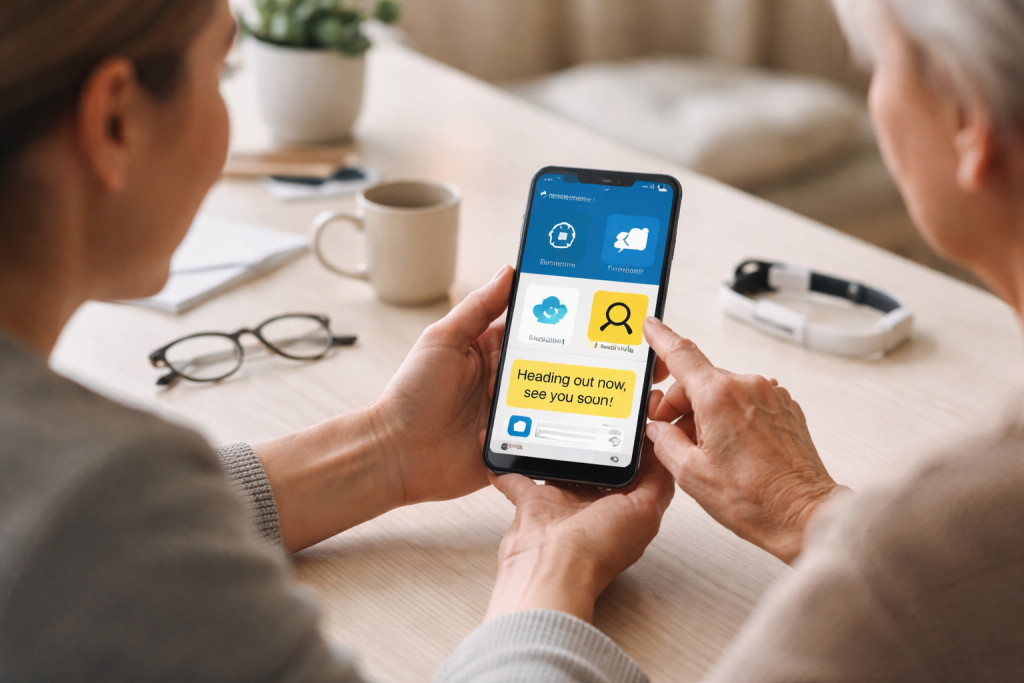
Smartphone accessibility is the design and function of mobile devices and apps for people with various disabilities. These impairments can affect vision, hearing, mobility, and cognitive abilities. Without accessibility, a smartphone can become a barrier, preventing users from fully participating in a digitally connected world.
The Digital Divide and Accessibility
The digital divide often exacerbates existing inequalities. Technology designed without everyone in mind often becomes inaccessible to those who need its assistive capabilities most. The result can lead to social isolation, limited educational and employment opportunities, and reduced access to essential services like healthcare and banking. Ensuring smartphone accessibility helps bridge this divide, offering a lifeline to information and connection.
Legal and Ethical Considerations
Beyond individual empowerment, accessibility is increasingly a legal and ethical imperative. Many jurisdictions have enacted laws requiring digital services and products to be accessible. These regulations recognize that exclusion based on disability is discriminatory. Ethically, inclusive design reflects a commitment to fairness and the belief that everyone deserves equal access to the tools that shape modern society.
Benefits for All Users
It is important to note that accessibility features often benefit a broader audience than initially intended. For instance, people in noisy environments or those learning a new language frequently use closed captions, designed for individuals with hearing impairments. Voice control features, beneficial for those with mobility impairments, can also be useful for multitasking or when hands are occupied. This principle of universal design, where features benefit the widest range of users, is a cornerstone of effective accessibility.
Modern smartphones, both iOS and Android, come equipped with a robust suite of built-in accessibility features. These features are not add-ons but integral parts of the operating system, designed to adapt the device to diverse user needs. Understanding and utilizing these built-in tools is the first step toward a more accessible smartphone experience.
Visual Accessibility
For individuals with visual impairments, smartphones offer a range of solutions.
Screen Readers
Screen readers, such as VoiceOver (on iOS) and TalkBack (on Android), are fundamental tools. They interpret on-screen elements and describe them audibly, allowing users to navigate menus, read text, and interact with apps without needing to see the screen. This functionality transforms the smartphone from a visual display into an auditory interface.
Magnification and Display Adjustments
The ability to enlarge the screen display is crucial for low vision. Zoom features allow users to magnify specific areas or the entire screen. Beyond magnification, contrast adjustments, color filters, and text resizing options can significantly improve readability for many users. These features act like adjustable lenses, tailoring the visual output to individual needs.
Voice Control
While often associated with mobility, voice control can also be a powerful tool for individuals with visual impairments, allowing them to operate the device and its applications through spoken commands, further reducing their reliance on visual interaction.
Auditory Accessibility
For individuals with hearing impairments, smartphones provide tools to make auditory information more accessible.
Closed Captions and Subtitles
The operating systems and many applications support closed captions and subtitles for video and audio content. This ensures that spoken dialogue and important sound cues are conveyed in a visual format.
Visual and Vibrating Alerts
Instead of, or in addition to, audible alerts, smartphones can provide visual notifications (e.g., flashing the screen) and haptic feedback (vibrations) to signal incoming calls, messages, or other events. This establishes a sensory alert system that is perceptible through sight and touch.
Hearing Aid Compatibility and Audio Adjustments
Many phones are designed to be compatible with hearing aids, facilitating a clearer connection. Audio settings allow for adjustments in volume, balance, and sound amplification, customizing the audio output to the user’s specific hearing profile.
Mobility and Dexterity Accessibility
Individuals with physical disabilities that affect fine motor control or manual dexterity can benefit greatly from smartphone accessibility features.
Touch Accommodation Settings
These settings allow for adjustments to how the screen responds to touch. Options like touch duration, ignoring repeated touches, and delaying touch can make it easier for users who have difficulty with precise or continuous touch interactions.
Switch Control
This advanced feature allows users to control their device using external switches or even head movements detected by the camera. It breaks down complex actions into simpler steps, making device navigation possible even with very limited physical control.
Voice Control
As mentioned earlier, voice control is a vital tool for mobility accessibility, enabling users to perform a wide range of actions, from composing messages to launching applications, solely through spoken commands.
Cognitive and Learning Accessibility
For users with cognitive or learning disabilities, features that simplify interaction and reduce overwhelming stimuli are paramount.
Guided Access (iOS) and Focus Modes (Android)
These features can limit the smartphone’s functionality to a single app, preventing accidental navigation away or unintentional system changes. This creates a focused environment, akin to a curated workspace, reducing distractions and enabling task completion.
Text-to-Speech and Readability Enhancements
Beyond screen readers, dedicated text-to-speech functions can read selected text aloud, assisting with comprehension. Simplified layouts and font adjustments can also improve the readability of content, making information easier to process.
Beyond the standard features, each smartphone offers a deep level of customization to fine-tune the accessibility experience. This is where the user truly molds the device to their individual needs, transforming it from a generic tool into a personal assistant.
Personalizing Display and Audio Settings
Experimentation with display settings is crucial. Finding the right balance of text size, contrast, and color schemes can make a significant difference in visual comfort and readability. Similarly, exploring audio adjustments, such as mono audio or specific frequency boosts, can enhance the clarity of sound. These adjustments are akin to fine-tuning a radio to get a clear signal.
Configuring Voice Control and Gestures
Setting up voice control commands to perform frequently used actions can drastically speed up interaction. Users can assign custom phrases to specific tasks, creating a personalized command dictionary. For those who struggle with complex gestures, simplifying or remapping gestures can make navigation far more intuitive.
Managing Notifications for Clarity
visual) andThe constant stream of notifications can be overwhelming. Users can customize which apps can send notifications, how they are delivered (sound, vibration, or visual), and even set “do not disturb” periods. This creates a more controlled flow of information, allowing users to focus on what is important.
Utilizing Shortcut and Assistive Touch Features
Many smartphones offer ways to quickly access accessibility features or commonly used functions. Assigning an accessibility feature to a triple-click of the home button (on some iOS devices) or utilizing the AssistiveTouch menu (on iOS) or Quick Settings (on Android) can provide rapid access to essential tools without navigating through multiple menus.
While the operating system provides a foundation, a vast ecosystem of accessible apps and tools extends the functionality of smartphones for users with disabilities. These applications often target specific needs, offering specialized solutions for daily tasks.
Navigation and Location Services
For individuals with visual impairments, accessible GPS navigation apps provide turn-by-turn audio directions and information about points of interest. Apps that describe surroundings or identify objects can further enhance independent navigation.
Productivity and Organization
Task management apps with clear interfaces and support for text-to-speech become invaluable. Calendar applications with customizable reminders and accessible notification systems help users stay organized. Note-taking apps that support voice input or provide audio recording capabilities offer flexible ways to capture information.
Entertainment and Media Consumption
Accessible streaming services offer closed captions and audio descriptions for their content. E-reader applications that support adjustable font sizes, text spacing, and text-to-speech can make reading enjoyable. Audiobooks and podcast players with simple controls and clear playback interfaces are also essential.
Health and Wellness
Apps designed for medication reminders, exercise tracking, and mental health support can be critical. Ensuring these apps have accessible interfaces and clear feedback mechanisms is vital for their effective use. For instance, a medication reminder should have an audible and visual alert that is easy to dismiss.
Financial Management and Online Services
Accessible banking apps and e-commerce platforms are crucial for financial independence and access to goods and services. Features like clear form layouts, keyboard navigation support, and compatible screen reader interactions are paramount.
Communication is a fundamental human need, and smartphones play a pivotal role in facilitating this. For individuals with communication disabilities, accessibility features and specialized apps can unlock a world of connection.
Texting and Messaging Enhancements
Beyond standard SMS, instant messaging apps often offer larger font options and customizable notification settings. For those who struggle with typing, predictive text and speech-to-text capabilities are invaluable. Autocorrect and text expansion tools can also streamline the writing process.
Voice and Video Calls
For individuals with hearing impairments, video calls offer a visual element, allowing for lip-reading or sign language communication. Apps that support real-time captioning during calls bridge the gap for those who cannot hear spoken dialogue.
Augmentative and Alternative Communication (AAC)
Dedicated AAC apps allow individuals with speech impairments to communicate using pre-recorded messages, text-to-speech synthesis, or symbol-based communication systems. These apps transform the smartphone into a powerful voice, enabling rich and nuanced expression.
Social Media and Online Communities
Accessible social media platforms allow users to engage with friends, family, and interest groups. Clear layouts, keyboard navigation, and screen reader compatibility ensure that the social fabric woven online is accessible to all.
Despite advancements, several barriers persist in achieving universal smartphone accessibility. Recognizing these challenges is the first step toward finding effective solutions.
Inconsistent App Accessibility
While operating systems are increasingly accessible, the accessibility of third-party applications remains a significant challenge. Developers do not always adhere to accessibility guidelines, leading to apps that are difficult or impossible to use for some individuals. This is akin to a beautiful park that has one broken gate.
The Cost of Accessible Technology
While smartphones themselves are becoming more affordable, specialized accessibility accessories or premium accessible apps can still represent a financial burden for some. Ensuring that essential accessibility tools are within reach for everyone is crucial.
Knowledge and Training Gaps
Many users are unaware of the accessibility features available on their devices or how to configure them. A lack of accessible training resources and support can leave individuals struggling to utilize their technology effectively. Sharing knowledge is like planting seeds; it allows for growth.
Rapid Technological Change
The fast pace of technological development means that accessibility solutions must constantly evolve. New operating system updates or hardware changes can sometimes introduce unforeseen accessibility issues that require prompt attention from both platform providers and app developers.
The Need for Ongoing Advocacy
Continuous advocacy is essential to push for further improvements in smartphone accessibility. This involves raising awareness among developers, policymakers, and the general public, and championing inclusive design principles.
Ultimately, the goal of smartphone accessibility is to enhance independence and improve the quality of life for all users. When technology is designed with inclusivity in mind, it becomes a powerful tool for empowerment.
Increased Autonomy in Daily Tasks
Accessible smartphones enable individuals to manage their finances, schedule appointments, order groceries, and connect with services independently, reducing reliance on others for basic tasks. This allows individuals to steer their own ship.
Expanded Educational and Employment Opportunities
Access to online learning platforms, research tools, and communication channels opens doors to educational advancement and broader employment possibilities, breaking down traditional barriers.
Enhanced Social Inclusion and Connection
By facilitating communication and participation in online communities, smartphones help combat social isolation and foster a sense of belonging.
Greater Access to Information and Resources
From news and health information to government services and entertainment, accessible smartphones provide a gateway to a world of knowledge, empowering informed decision-making.
Promoting Self-Advocacy and Participation
When individuals have the tools to access information and communicate effectively, they are better equipped to advocate for their own needs and participate fully in society. The smartphone, in this context, becomes a megaphone for their voice.
In conclusion, making technology work for everyone is not merely a technical challenge but a societal commitment. By understanding the importance of accessibility, harnessing the power of built-in features, exploring specialized apps, and addressing persistent barriers, we can ensure that the smartphone, a ubiquitous tool, truly serves as a bridge to a more inclusive and empowered future for all.
FAQs
accessibility,1. What is smartphone accessibility and why is it important?
Smartphone accessibility refers to the design and features that make smartphones usable for individuals with disabilities. It is important because it allows everyone, regardless of their abilities, to access and use the technology that has become an essential part of daily life.
2. What are some common smartphone accessibility features, and how can they be customized?
Common smartphone accessibility features include screen readers, magnification, color inversion, voice control, and gesture controls. These features can be customized through the device’s settings to better suit the individual needs of users with disabilities.
3. What are some accessible apps and tools that can be used on smartphones for everyday tasks?
There are a variety of accessible apps and tools available for smartphones that can assist with everyday tasks, such as navigation, communication, organization, and entertainment. Examples include screen readers, voice-to-text apps, navigation apps with audio cues, and communication apps with built-in accessibility features.
4. How can smartphones be used to enhance communication accessibility for individuals with disabilities?
Smartphones can enhance communication accessibility for individuals with disabilities through features such as text-to-speech, speech-to-text, video calling, and customizable communication apps. These features enable individuals with disabilities to communicate more effectively and independently.
5. What are some common accessibility challenges faced by smartphone users, and how can they be overcome?
Common accessibility challenges faced by smartphone users include small touchscreens, complex interfaces, and compatibility issues with assistive devices. These challenges can be overcome through the use of accessibility settings, third-party apps, and assistive technology devices designed specifically for smartphone use.