
Safeguarding Your Children: A Comprehensive Tutorial on Enabling Parental Controls
Parental controls are tools parents use to manage and monitor their children’s access to digital content and online activities. These controls can restrict access to certain websites, applications, and features, and they can also limit screen time. The goal is to create a safer online environment, protecting children from exposure to inappropriate content, cyberbullying, and predators. This involves a multi-faceted approach, combining technological solutions with open communication and ongoing parental involvement.
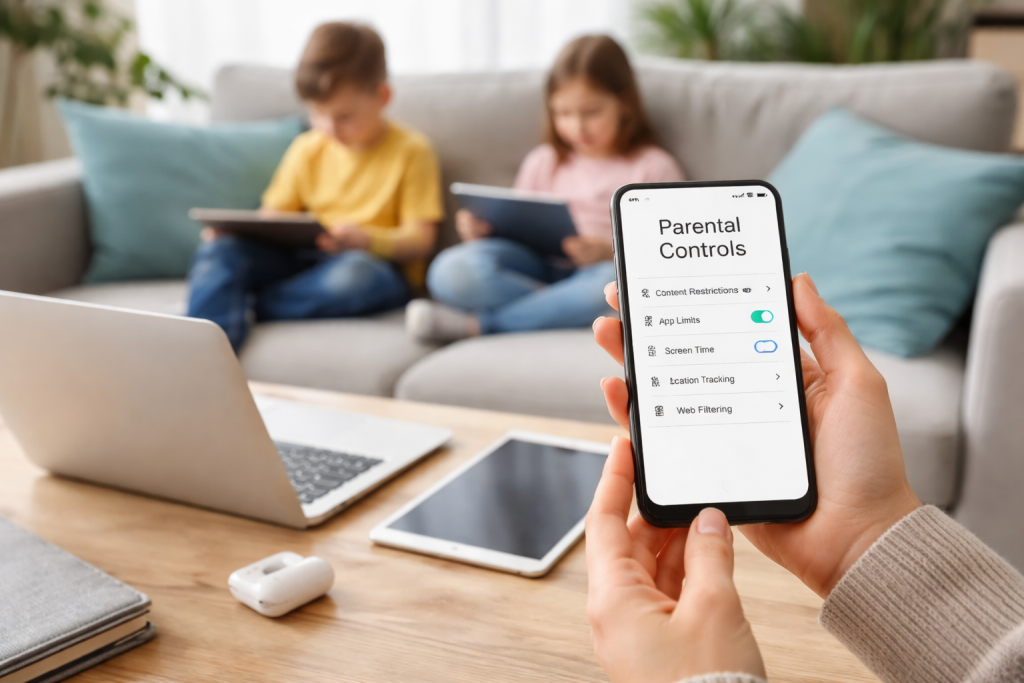
The digital landscape offers vast opportunities for learning and connection. However, it also presents risks. Children, especially younger ones, may lack the discernment to navigate these risks independently. Parental controls act as a protective barrier, helping parents guide their children through this complex environment. It’s like building a fence around a playground; the fence doesn’t stop children from playing, but it keeps them within safe boundaries.
Contents
- 0.1 Protecting from Inappropriate Content
- 0.2 Mitigating Cyberbullying and Online Predators
- 0.3 Managing Screen Time and Digital Well-being
- 0.4 Operating System Level Controls
- 0.5 Browser and Search Engine Settings
- 0.6 App-Specific Controls
- 0.7 Reviewing Activity Reports
- 0.8 Adjusting Settings as Needed
- 0.9 Recognizing and Responding to Red Flags
- 0.10 Gradual Increase in Autonomy
- 0.11 Open Communication as a Foundation
- 0.12 Understanding the Boundaries of Monitoring
- 0.13 Starting Early and Making it Ongoing
- 0.14 Discussing Digital Footprint and Privacy
- 0.15 Addressing Cyberbullying and Online Predators
- 0.16 Encouraging Critical Thinking Online
- 0.17 Online Safety Organizations
- 0.18 Device and Software Support
- 0.19 Community and School Programs
- 0.20 Professional Guidance
- 1 FAQs
- 1.1 What are parental controls, and why are they important for safeguarding children?
- 1.2 How can parents set up parental controls on devices and apps?
- 1.3 What are some ways to monitor and manage a child’s online activity?
- 1.4 How can parents protect their child from inappropriate content while balancing privacy and safety?
- 1.5 Where can parents find resources and support for implementing parental controls?
Protecting from Inappropriate Content
The internet contains material unsuitable for children, ranging from violent imagery to sexually explicit content. Without controls, children can stumble upon such content accidentally or intentionally. Parental controls allow parents to filter or block access to specific websites, categories of content, or even certain keywords. This creates a curated online experience, reducing the likelihood of exposure to harmful material. Content filtering can be implemented at various levels, from network-wide solutions to individual device settings.
Mitigating Cyberbullying and Online Predators
The anonymity of the internet can empower individuals to engage in harmful behaviors, including cyberbullying and online grooming. Parental controls cannot eliminate these risks, but they can provide valuable insights and limitations. Monitoring tools can alert parents to suspicious communications or changes in online behavior. Communication restrictions can limit who a child can contact online, reducing the chance of interaction with strangers. It’s a bit like having a watchtower, offering an elevated view to spot potential dangers before they become too close.
Managing Screen Time and Digital Well-being
Excessive screen time can negatively impact children’s physical and mental health, affecting sleep, academic performance, and social development. Parental controls allow parents to set time limits for device usage or specific applications. This helps establish healthy digital habits and encourages children to engage in other activities. These controls can be scheduled, allowing for more screen time during weekends or holidays and less during school hours. This promotes a balanced lifestyle, preventing technology from consuming their entire day.
Implementing parental controls typically involves configuring settings on individual devices, within operating systems, or directly within specific applications. The process varies depending on the technology. It’s like adjusting the dials on a complex machine; each dial controls a different function.
Operating System Level Controls
Major operating systems like Windows, macOS, Android, and iOS offer built-in parental control features. These usually allow parents to create child accounts with restricted privileges. Features often include screen time limits, content filtering, app restrictions, and purchase approval. For example, on iOS, “Screen Time” allows parents to manage downtime, app limits, communication limits, and content and privacy restrictions. On Android, “Family Link” provides similar functionality, allowing parents to manage apps, set screen time, and locate their child’s device. These system-level controls provide a foundational layer of protection across the entire device.
Browser and Search Engine Settings
Web browsers and search engines can also be configured for safer use. Most major browsers offer “safe search” features that filter out explicit content from search results. Parents can also implement browser extensions that block specific websites or categories of content. These settings are crucial, as browsers are often the primary gateway to the internet. This is like installing a specific type of lock on your front door; it controls access at the entry point.
App-Specific Controls
Many popular applications, especially social media platforms and streaming services, have their own internal parental control settings. These can include privacy settings, content filters, and contact restrictions. It’s important for parents to explore these settings within each app their child uses. For example, YouTube Kids offers curated content and disables comments, while Netflix allows for profile-specific maturity ratings. Each app is a different room in the digital house, and each room needs its own specific safety measures.
Parental controls are not a set-it-and-forget-it solution. Ongoing monitoring and management are essential to ensure their effectiveness and to adapt to a child’s evolving needs. This is an active process, not a passive one.
Reviewing Activity Reports
Many parental control solutions provide activity reports, detailing website visits, app usage, and search queries. Regularly reviewing these reports can offer insights into a child’s online habits and identify potential issues. These reports can be a map, showing where your child has been and what they have encountered in the online world. This allows parents to intervene if they notice concerning patterns or activity.
Adjusting Settings as Needed
As children grow and mature, their online needs and interests change. Parental control settings should be adjusted accordingly. What is appropriate for a 7-year-old may be too restrictive for a 13-year-old. Regular discussions with children about their online experiences can inform these adjustments. This is like fine-tuning an instrument; constant adjustments are needed to maintain optimal performance. The goal is to gradually loosen the reins as children demonstrate responsible online behavior.
Recognizing and Responding to Red Flags
Parents should be alert to changes in their child’s behavior that might indicate online problems. These could include secretiveness about online activity, withdrawal from social interactions, changes in mood, or sudden resistance to device usage. These are warning lights on the dashboard; they signal that something might be amiss and require attention. Prompt and supportive responses are crucial if such signs appear.
The implementation of parental controls involves a delicate balance between a child’s privacy and their safety. While protection is paramount, over-monitoring can erode trust and stifle independence. It’s a tightrope walk where the goal is to keep them safe without unduly restricting their personal space.
Gradual Increase in Autonomy
As children mature, they require more autonomy and privacy in their online lives. Parental controls should evolve to reflect this. Overly strict controls for older children can be counterproductive, leading to children seeking ways around the controls or becoming resentful. The aim is to equip them with the skills to navigate the digital world responsibly, not to perpetually shield them from it. This is like teaching a child to ride a bike; initially, you hold on, but eventually, you let go, trusting them to steer.
Open Communication as a Foundation
The most effective safeguard is open communication. Children are more likely to come to parents with online concerns if they feel they can speak openly without fear of judgment or immediate punishment. Explaining the rationale behind parental controls, rather than simply imposing them, fosters understanding and cooperation. This open dialogue is the bridge between safety and trust.
Understanding the Boundaries of Monitoring
Parents should be transparent about the extent of their monitoring. While some level of oversight is necessary, continuous, covert surveillance can damage the parent-child relationship. Explain what information is being gathered and why. Focus on monitoring for safety rather than intruding on personal communications unless there is a clear indication of danger. This builds a foundation of respect, even within the framework of protection.
Effective communication is the cornerstone of online safety. Parental controls are tools, but they are most effective when supported by ongoing conversations and education. It’s like having a compass; it guides you, but you still need to know how to read it.
Starting Early and Making it Ongoing
Conversations about online safety should begin at an early age, even before children have extensive online access. These discussions should be ongoing and age-appropriate, adapting as children grow and their online experiences expand. These are not one-time lectures but continuous dialogues that evolve with the child.
Discussing Digital Footprint and Privacy
Children need to understand the concept of a “digital footprint”—that what they post online can be permanent and accessible to others. Discussing the importance of privacy settings and thinking before sharing information is crucial. Teach them that every digital action leaves a trace, like footprints in the sand.
Addressing Cyberbullying and Online Predators
Parents should explicitly discuss cyberbullying, explaining what it is, how to respond to it, and the importance of reporting it. Similarly, conversations about online predators should happen, emphasizing the danger of communicating with strangers and the importance of never meeting someone met online without parental involvement. These are difficult conversations, but they are vital for equipping children with the knowledge to protect themselves.
Encouraging Critical Thinking Online
Teach children to be critical consumers of online information. Help them identify unreliable sources, fake news, and manipulative content. Encourage them to question what they see and read online, rather than accepting it at face value. This develops their internal filters, making them more resilient to misinformation.
Parents are not alone in navigating the complexities of online safety. Many resources and support systems are available to help. These are like a network of lighthouses, each guiding you through different aspects of the journey.
Online Safety Organizations
Numerous organizations dedicate themselves to online safety for children. Websites like Common Sense Media, the National Center for Missing and Exploited Children (NCMEC), and the Internet Watch Foundation (IWF) offer valuable information, guides, and tools for parents. These organizations provide expert advice and up-to-date information on emerging online threats.
Device and Software Support
Major technology companies often provide extensive support documentation and customer service for their parental control features. Consulting these resources can help parents properly configure and troubleshoot settings. Software vendors for parental control applications also offer detailed guides and technical assistance.
Community and School Programs
Many schools and local communities offer workshops, presentations, and resources on online safety. Participating in these programs can connect parents with others facing similar challenges and provide additional information and strategies. These local initiatives create a shared understanding and collaborative approach to safeguarding children.
Professional Guidance
In some cases, parents may benefit from professional guidance from child psychologists or online safety experts, especially when dealing with complex or persistent issues. These professionals can offer tailored advice and support in challenging situations. They are like specialist medical practitioners, offering focused expertise when needed.
Implementing parental controls is an ongoing process, evolving with technology and a child’s development. It requires diligence, open communication, and a willingness to adapt. By combining technological tools with consistent guidance and support, parents can empower their children to navigate the digital world safely and responsibly.
FAQs
What are parental controls, and why are they important for safeguarding children?
Parental controls are features that allow parents to manage and monitor their children’s online activities, including restricting access to certain content, setting time limits, and monitoring usage. They are important for safeguarding children because they help protect them from inappropriate content, online predators, and excessive screen time.
How can parents set up parental controls on devices and apps?
Parents can set up parental controls on devices and apps by accessing the settings or preferences menu on the device or app. They can then customize the controls to fit their child’s needs, such as blocking specific websites, setting time limits, and monitoring usage.
What are some ways to monitor and manage a child’s online activity?
Parents can monitor and manage their child’s online activity by using parental control software, setting up restrictions on devices and apps, and regularly checking their child’s browsing history and app usage. It’s also important to have open communication with the child about their online activities.
How can parents protect their child from inappropriate content while balancing privacy and safety?
Parents can protect their child from inappropriate content by using parental controls to filter out harmful websites and content, setting up safe search filters, and discussing online safety with their child. Balancing privacy and safety can be achieved by respecting the child’s privacy while also setting boundaries and guidelines for online usage.
Where can parents find resources and support for implementing parental controls?
Parents can find resources and support for implementing parental controls through online safety organizations, parenting websites, and educational resources. They can also seek guidance from other parents, teachers, and technology experts for tips and advice on effectively implementing parental controls.

Smart Tech Manual is a technology-focused platform dedicated to providing simple, clear, and beginner-friendly guides for everyday users.