
Say Goodbye to Distractions: How to Effectively Manage Phone Notifications
Phone notifications are alerts generated by applications on a mobile device to inform the user of updates, messages, or other changes. These alerts can manifest as sounds, vibrations, or visual cues on the screen. While designed to keep users informed, an unmanaged flow of notifications can significantly impact daily life, particularly in areas of productivity and focus. Understanding and effectively managing these notifications is important for maintaining concentration and reducing digital overload.
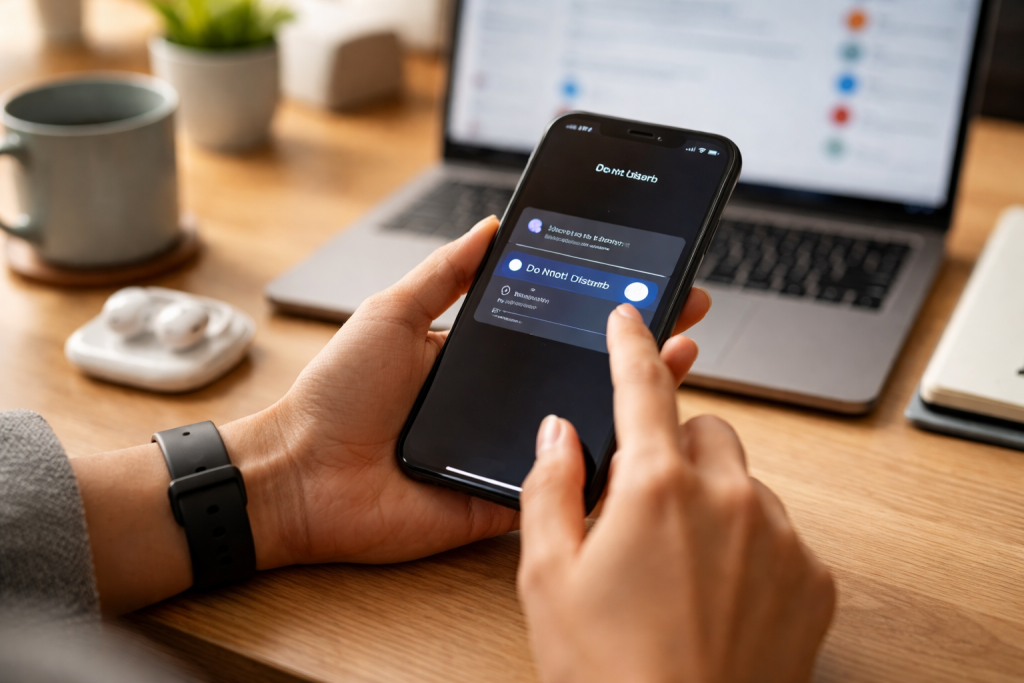
The constant stream of notifications acts like a series of tiny interruptions, each pulling your attention away from your current task. Imagine your concentration as a delicate thread, with each notification acting as a tiny snippet that frays it until it breaks. Repeated interruptions can fragment your work, making it challenging to delve deeply into complex assignments or creative endeavors. This fragmentation leads to reduced efficiency and an increased likelihood of errors.
Contents
- 0.1 Cognitive Load and Context Switching
- 0.2 The Dopamine Loop and Addiction
- 0.3 Defining Your Notification Philosophy
- 0.4 Establishing Notification-Free Zones and Times
- 0.5 Categorizing Notifications by Urgency and Importance
- 0.6 Who Needs to Reach You?
- 0.7 Configuring Do Not Disturb (DND) Schedules
- 0.8 Silent Mode vs. DND: A Clarification
- 0.9 Customizing Notification Types
- 0.10 Disabling Unnecessary App Notifications Entirely
- 0.11 Physical Separation of Your Device
- 0.12 Regular “Check-In” Periods
- 0.13 Communicating Your Availability
- 0.14 Regular Review and Adjustment
- 0.15 Cultivating Mindful Phone Use
- 0.16 The Benefits of Regained Mental Space
- 1 FAQs
- 1.1 1. What is the impact of phone notifications on productivity?
- 1.2 2. How can I effectively manage phone notifications?
- 1.3 3. What are some tips for creating a distraction-free environment at work and home?
- 1.4 4. How can I strike a healthy relationship with phone notifications?
- 1.5 5. What are some strategies for prioritizing notifications and identifying what’s important?
Cognitive Load and Context Switching
Each notification, regardless of its importance, demands a cognitive shift. When a notification appears, your brain performs a rapid assessment: “What is this? Is it urgent? Do I need to respond?” This process, known as context switching, consumes mental energy. Even if you choose to ignore a notification, the brief moment of distraction has already occurred. Frequent context switching hinders the ability to achieve a state of deep work, a highly productive mental state characterized by sustained, unbroken concentration. The more you switch between tasks, the harder it is for your brain to establish and maintain a productive rhythm.
The Dopamine Loop and Addiction
Notifications often trigger a release of dopamine, a neurotransmitter associated with reward and pleasure. This creates a psychological loop: your phone buzzes, you check it, you receive a piece of information (which can be a reward), and your brain is reinforced to anticipate the next notification. This can develop into a behavioral pattern that resembles addiction, where the urge to check your phone becomes difficult to resist, even when you know it’s detrimental to your current task. This constant anticipation of an incoming alert can create a background hum of anxiety, further eroding focus.
An effective strategy for managing phone notifications involves establishing clear boundaries and a structured plan. This is not about eliminating notifications entirely but rather about regaining control over when and how you receive them. Think of yourself as the guardian of your attention, determining what information enters and when.
Defining Your Notification Philosophy
Before adjusting settings, reflect on your relationship with your phone. What notifications are genuinely important? Which ones are merely distractions? Establish a personal philosophy for notification receipt. For example, you might decide that work-related communications during business hours are permissible, but social media alerts are not. This philosophical framework will guide your practical adjustments. Be honest with yourself about the notifications that provide real value versus those that simply feed a habit.
Establishing Notification-Free Zones and Times
Designate specific periods or locations as notification-free. This could be during meals, exercise, family time, or an hour before bedtime. These zones act as mental sanctuaries, allowing you to fully engage with your immediate environment and the people around you without digital intrusions. Similarly, dedicated work blocks should be treated as notification-free periods to foster deep concentration. Communicate these boundaries to others, particularly those who frequently message you, to set expectations.
Not all notifications are created equal. Distinguishing between essential alerts and trivial updates is fundamental to effective management. Think of your notifications as a spectrum, from vital alerts on one end to noise on the other. Your goal is to amplify the signals you need and silence the noise.
Categorizing Notifications by Urgency and Importance
Go through your applications and categorize their notifications. Group them into categories such as
- Critical: Alerts requiring immediate attention (e.g., emergency calls, security alerts, essential work communications).
- Important but not Urgent: Information you need to know but doesn’t require immediate action (e.g., news updates, calendar reminders, non-urgent work emails).
- Non-Essential/Optional: Notifications that offer no significant value or are purely for entertainment (e.g., social media likes, game updates, promotional messages).
You can visualize the information flow and pinpoint areas that require adjustments through this categorization process. You may find that a significant portion of your notifications fall into the “non-essential” category.
Who Needs to Reach You?
Consider who needs to contact you directly and how. Is it acceptable for family members to call you at any time, but only for colleagues to email during work hours? You can use this personal hierarchy to decide which communication channels should remain active at all times and which ones you can handle more discreetly. Different people call for different levels of accessibility.
Your phone has built-in features designed to help you manage notifications. Using “Do Not Disturb” (DND) and silent modes effectively can create significant periods of uninterrupted focus. These features are your personal digital bodyguards, protecting your attention from unwanted intrusions.
Configuring Do Not Disturb (DND) Schedules
DND mode is not just for sleep. Schedule DND to activate during your core work hours, study periods, or family time. Most phones allow you to customize DND settings to permit calls from specific contacts (e.g., family members or emergency contacts) even when the mode is active. This ensures that you remain accessible for genuine emergencies while blocking less critical alerts. Experiment with different DND schedules to find what best suits your daily routine.
Silent Mode vs. DND: A Clarification
Silent mode typically stops all audible alerts, but visual notifications (on-screen banners, vibrations) might still occur. DND, on the other hand, often blocks all visual, audible, and haptic (vibration) notifications, keeping them entirely off your screen until you explicitly check your phone. Understand the differences between these modes on your specific device to apply them appropriately. For deep work, DND is usually the more effective tool.
The most granular level of control over notifications lies within the settings of individual applications. This is where you can tailor the notification experience for each app to match your prioritization scheme. Think of it as adjusting the volume knob for each individual instrument in an orchestra; some you want loud, others you want barely audible.
Customizing Notification Types
Within an app’s notification settings, you can often choose which specific types of alerts you receive. For a messaging app, you might opt to receive notifications only for direct messages but not for group chats. For a social media app, you might disable notifications for likes and comments but keep them for direct mentions. This level of detail allows you to prune irrelevant alerts without missing truly important interactions.
Disabling Unnecessary App Notifications Entirely
Be ruthless in disabling notifications for apps that consistently provide little value or are purely for entertainment. Is it necessary to receive a notification each time a game provides a daily bonus? Should you receive notifications every time a shopping app offers a sale? Many apps default to sending a wide array of notifications to encourage engagement. Take control by turning them off. For quick reference, some phones offer a “Notification History” or “Recently Sent” section within settings, helping you identify which apps are most active in sending alerts.
Managing notifications is not just about phone settings; it’s also about cultivating an environment that supports focus. Your physical space and habits are as important as your digital configurations.
Physical Separation of Your Device
During focused work or important interactions, place your phone out of sight and out of reach. If it’s on your desk, even face down, its mere presence can serve as a mental ping, reminding you of its potential for notifications. Put it in a drawer, in another room, or in your bag. The physical barrier helps reinforce the mental boundary against distractions. “Out of sight, out of mind” is a powerful concept here.
Regular “Check-In” Periods
Instead of reacting to every notification, establish scheduled times to check your phone for messages and updates. This could be once an hour, every two hours, or at specific breaks throughout your day. This proactive approach turns notification checking into a deliberate task rather than a reactive interruption. By grouping these checks, you minimize context switching and maintain longer periods of focus. You become the master of your phone, not its slave.
Communicating Your Availability
Inform colleagues, friends, and family about your notification management strategy. Let them know your preferred methods of contact for urgent matters and your typical response times for non-urgent communications. This manages expectations and prevents misunderstandings, fostering a more respectful and productive communication dynamic. For instance, you could use an automated email reply indicating your specific response times.
The goal of notification management is not to eliminate your phone entirely or to live in a digital vacuum. It is about establishing a balanced and healthy relationship with your device, where technology serves you, rather than the other way around.
Regular Review and Adjustment
Your notification needs may change over time. Periodically review your notification settings for all apps. Adapt your plan when you install new apps or your work responsibilities change. What worked for you last month might not be optimal today. This procedure is an ongoing process, not a one-time fix. Treat it like tending a garden; some weeds will always pop up, and you’ll need to keep tending to it.
Cultivating Mindful Phone Use
Practice mindful phone use. Before picking up your device, ask yourself, “Why am I checking my phone right now? Is it a conscious decision, or am I reacting to an urge?” This simple act of self-inquiry can reduce impulsive phone checking and increase your awareness of your digital habits. By being intentional, you regain control over your attention and time.
The Benefits of Regained Mental Space
Successfully managing notifications frees up significant mental space. It reduces cognitive load, lowers stress associated with constant connectivity, and enhances your ability to focus deeply on tasks that truly matter. This leads to increased productivity, better quality work, and ultimately, a greater sense of calm and control over your daily life. Your brain is a limited resource; protect it from unnecessary drain.
FAQs
1. What is the impact of phone notifications on productivity?
Phone notifications can significantly impact productivity by causing distractions and interrupting focus. Research has shown that it takes an average of 23 minutes and 15 seconds to fully regain focus after being distracted, which can have a negative impact on work efficiency and overall productivity.
2. How can I effectively manage phone notifications?
To effectively manage phone notifications, it’s important to set boundaries and create a notification management plan. This can include prioritizing notifications, utilizing Do Not Disturb and Silent modes for focus, implementing app-specific notification settings, and creating a distraction-free environment at work and home.
3. What are some tips for creating a distraction-free environment at work and home?
Creating a distraction-free environment at work and home involves setting boundaries with phone notifications, finding a balance between staying connected and minimizing distractions, and establishing designated times for checking and responding to notifications. Additionally, it’s helpful to communicate your notification management plan with colleagues and family members to ensure support and understanding.
4. How can I strike a healthy relationship with phone notifications?
Striking a healthy relationship with phone notifications involves finding balance and being mindful of the impact they have on your productivity and well-being. This can include setting boundaries, prioritizing notifications, and being intentional about when and how you engage with your phone.
5. What are some strategies for prioritizing notifications and identifying what’s important?
Prioritizing notifications involves identifying what’s important and relevant to your work and personal life. This can be done by categorizing notifications based on urgency and importance, utilizing app-specific notification settings, and establishing clear criteria for what warrants immediate attention versus what can be addressed at a later time.

Smart Tech Manual is a technology-focused platform dedicated to providing simple, clear, and beginner-friendly guides for everyday users.